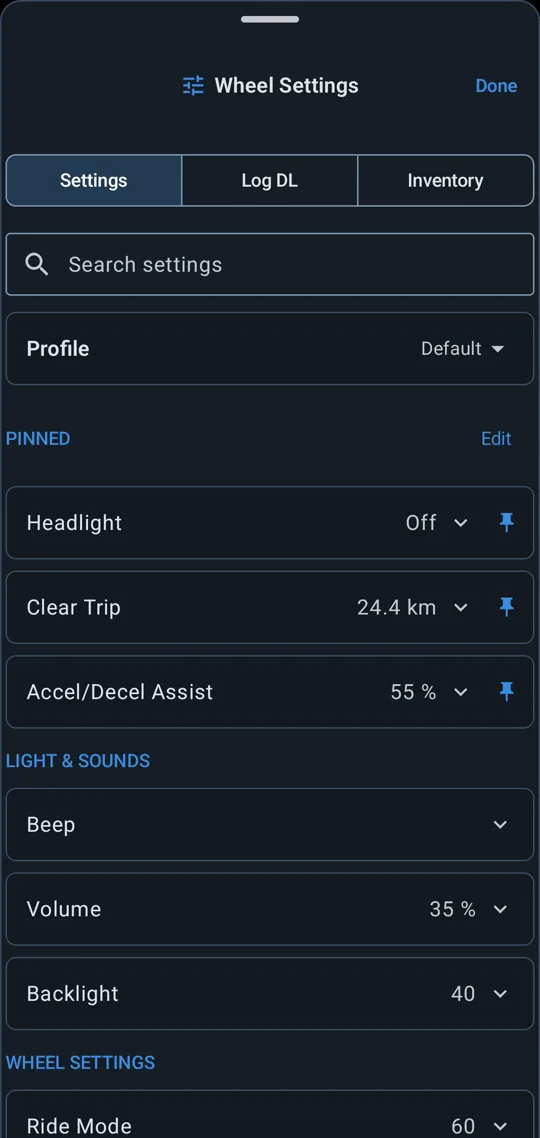
Wheel settings
Read and change what the wheel exposes: tiltback, ride modes, lights, horn and alarm volume, calibration. Expect twenty to thirty settings depending on the model. Pin the ones you use most to the connect screen.
Live telemetry, ride recording, ride analysis and wheel settings
In your browser
EUCRAW is a free electric unicycle app built around accurate ride data. It decodes every reading your wheel sends over Bluetooth, shows it live and records the whole ride for replay.
Read and change what the wheel exposes: tiltback, ride modes, lights, horn and alarm volume, calibration. Expect twenty to thirty settings depending on the model. Pin the ones you use most to the connect screen.
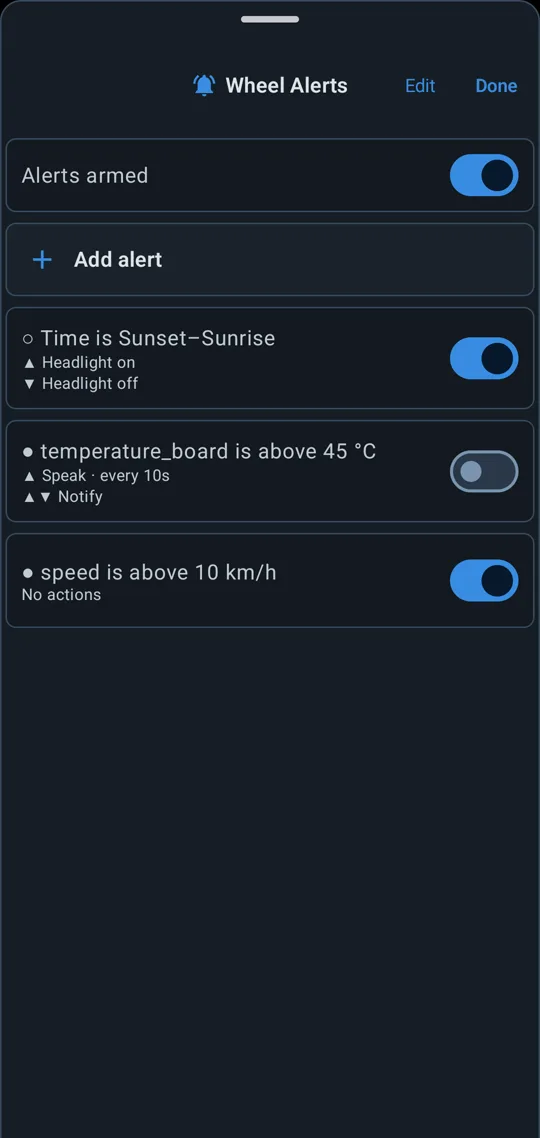
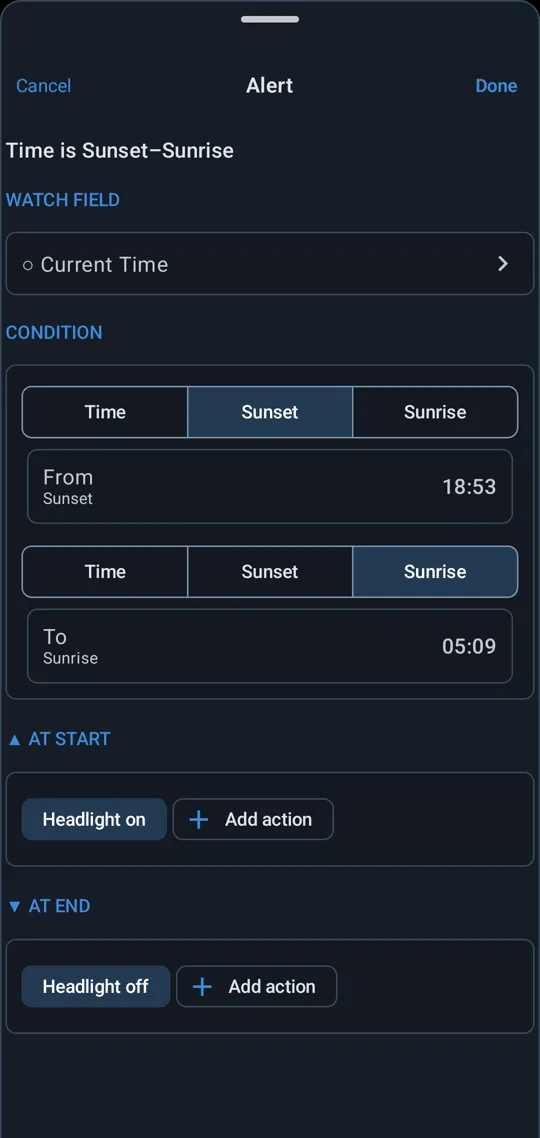
Set rules per wheel, such as motor temperature over 80 °C, PWM over 85 % or battery under 10 %. A rule can beep the wheel, post a notification, play a tone, speak or switch the headlight.
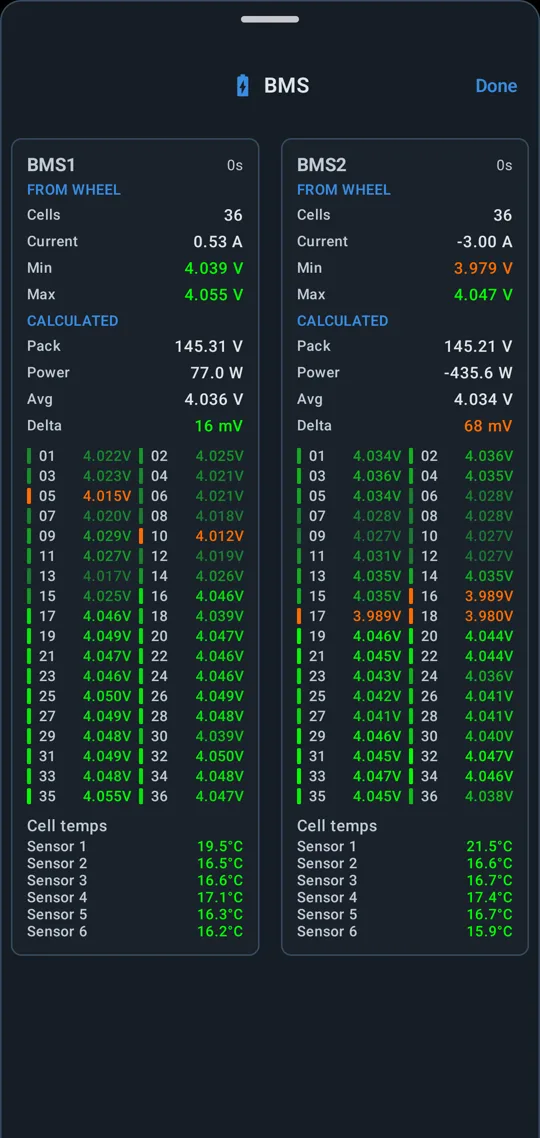
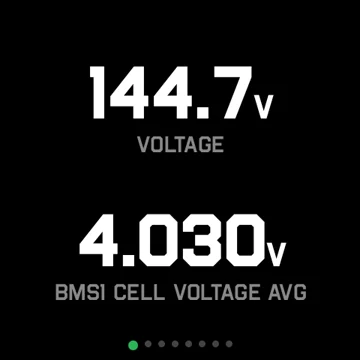
On wheels with a smart BMS, see the voltage of every cell in each pack, with the minimum, maximum, average and spread. Cell temperature sensors sit below.
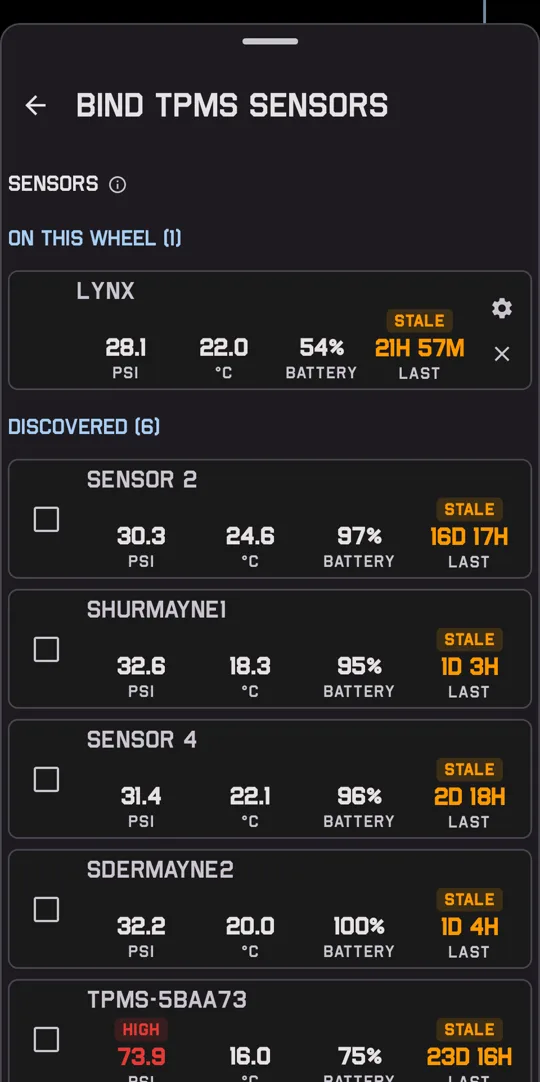
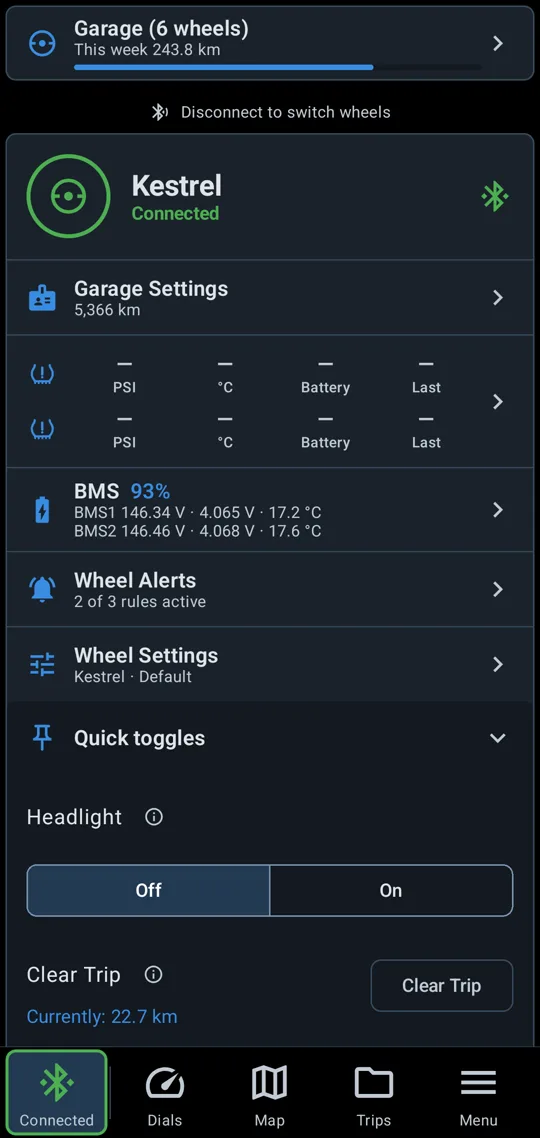
EUCRAW reads third-party Bluetooth TPMS sensors. Bind a sensor to each wheel, and its pressure, temperature and battery show on the connect screen beside the wheel's telemetry.
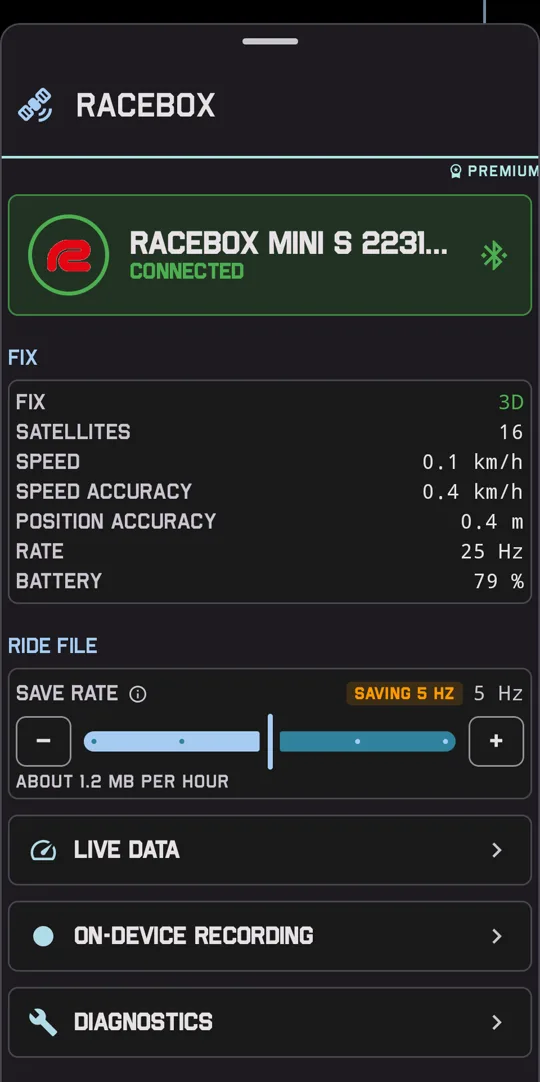
Connect a RaceBox Mini, Mini S or Micro, or a Dragy. The receiver reports up to 25 times a second with a speed accuracy for each fix, where a phone manages once a second. The app uses it as the ride's GPS and records it with the ride.
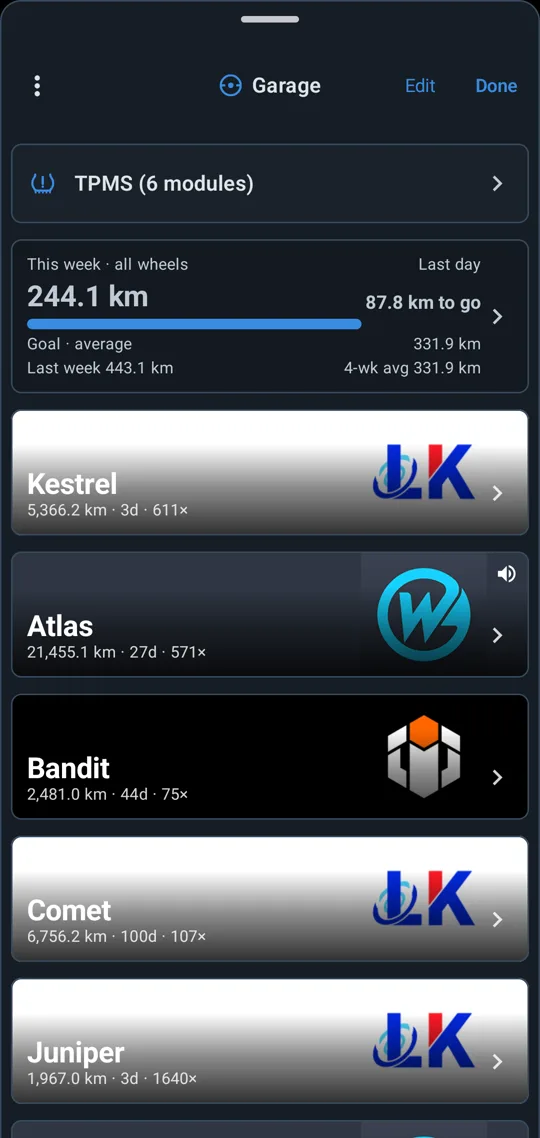
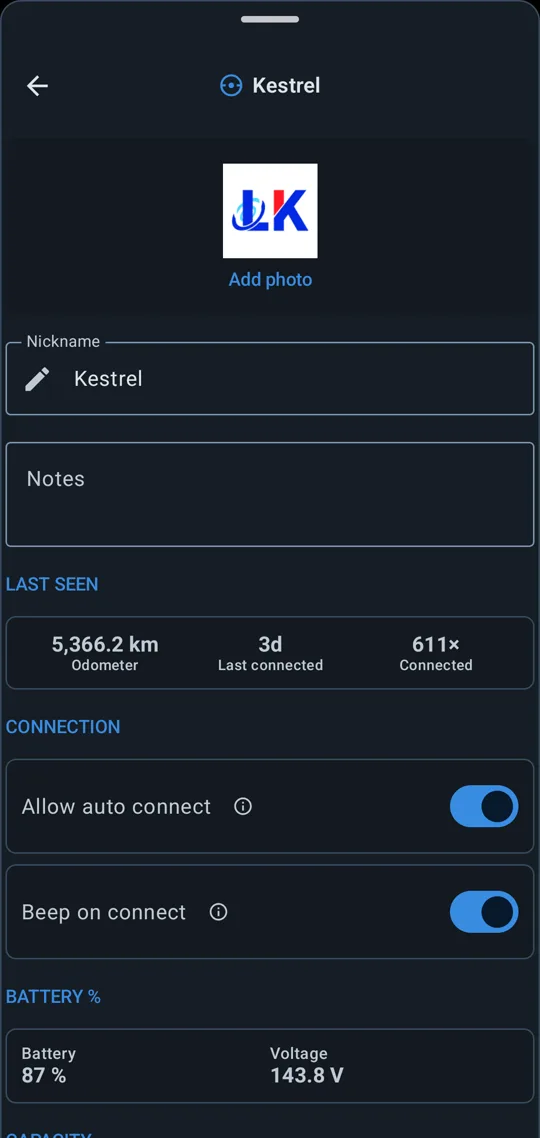
Save as many wheels as you own. Each keeps its own photo, alerts, battery pack, speed calibration and tyre sensor, with its odometer and connection count.
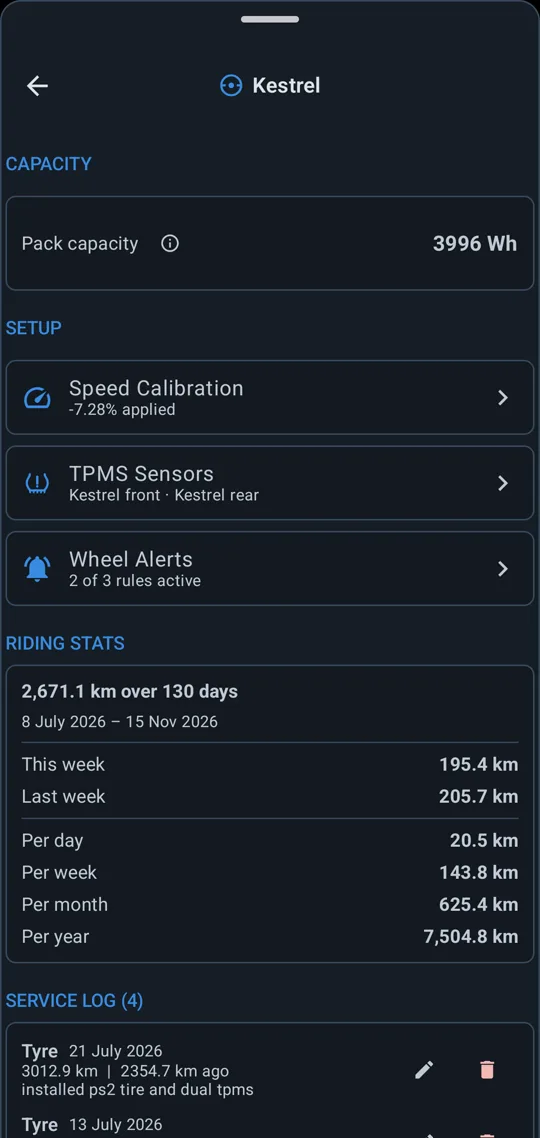
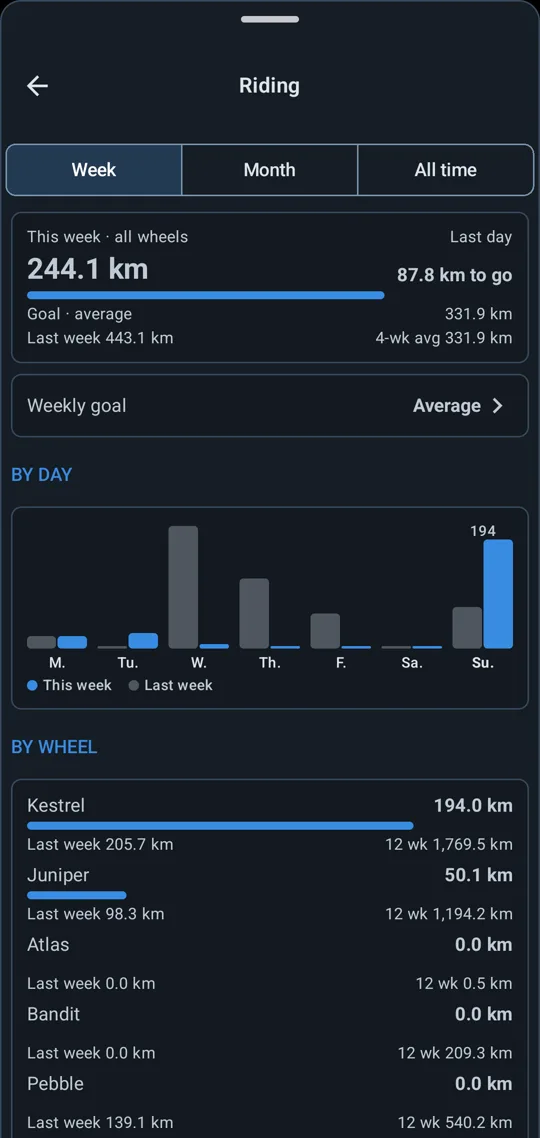
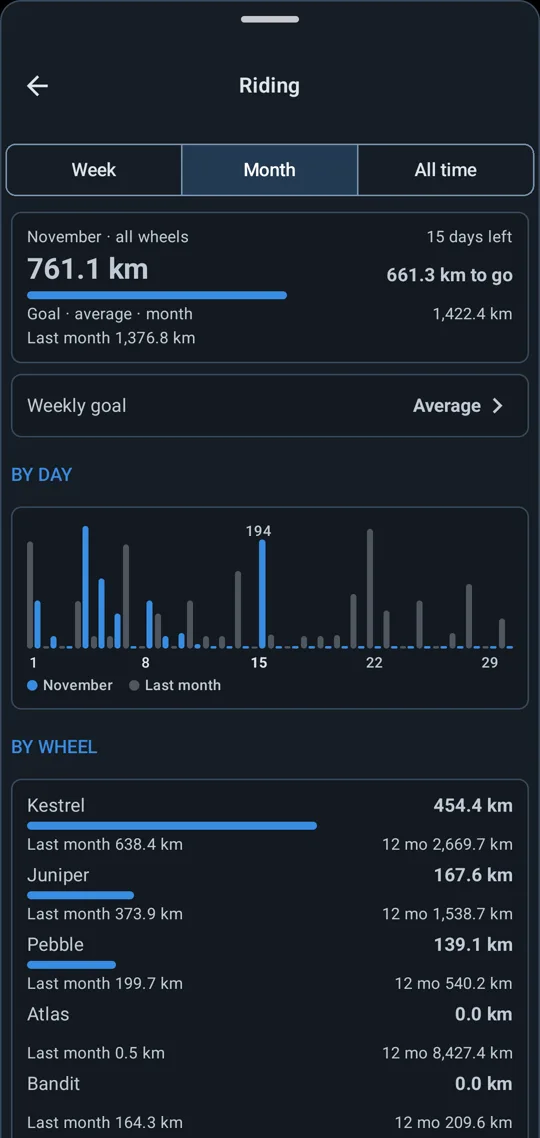
Distance per day, week, month and year, for all wheels together and for each on its own. Set a weekly goal or let the app take your average, and see how far you are from it. A service log records each job against the odometer.
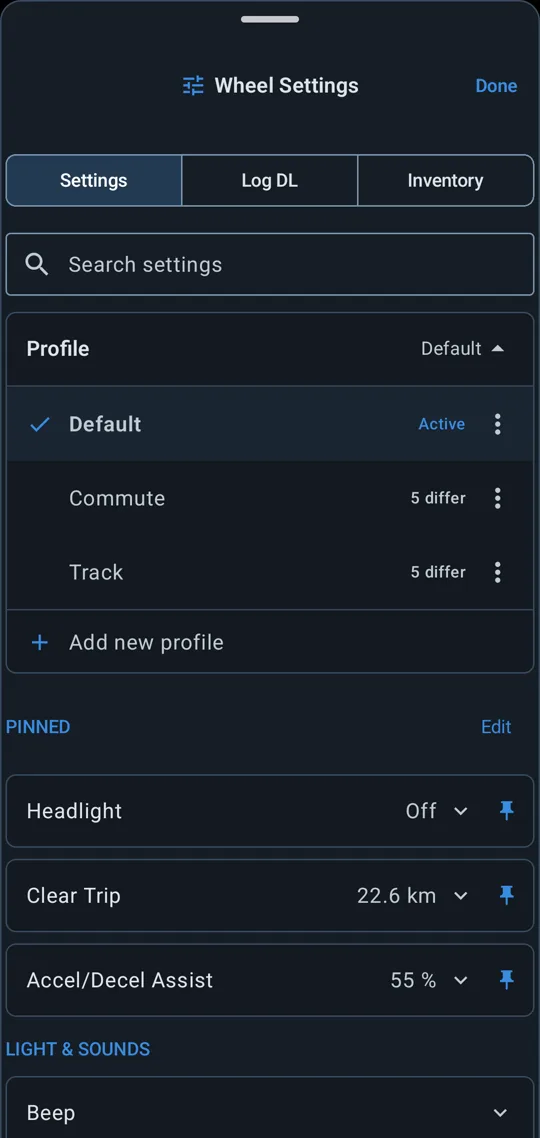
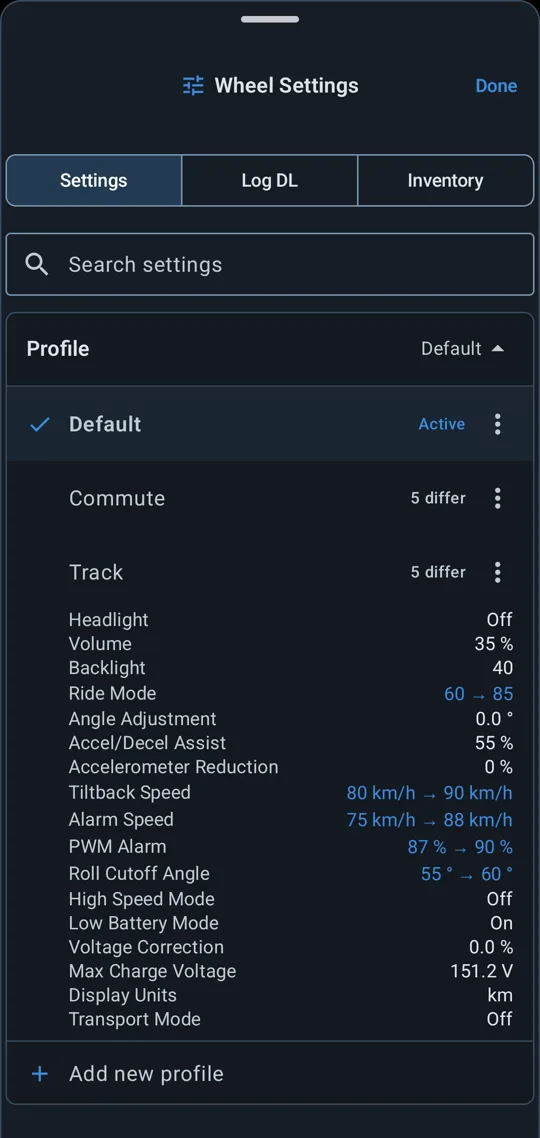
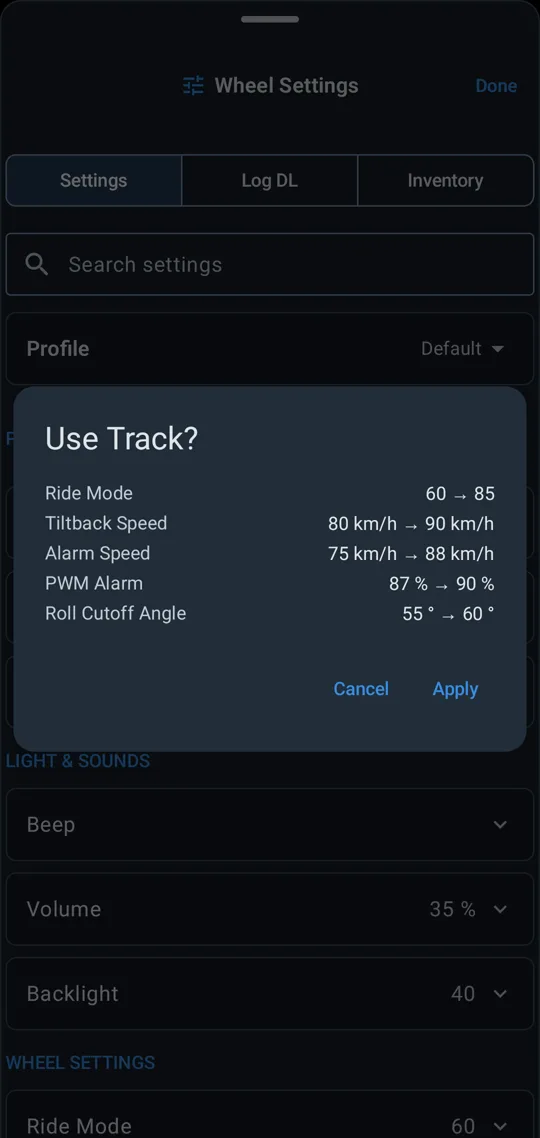
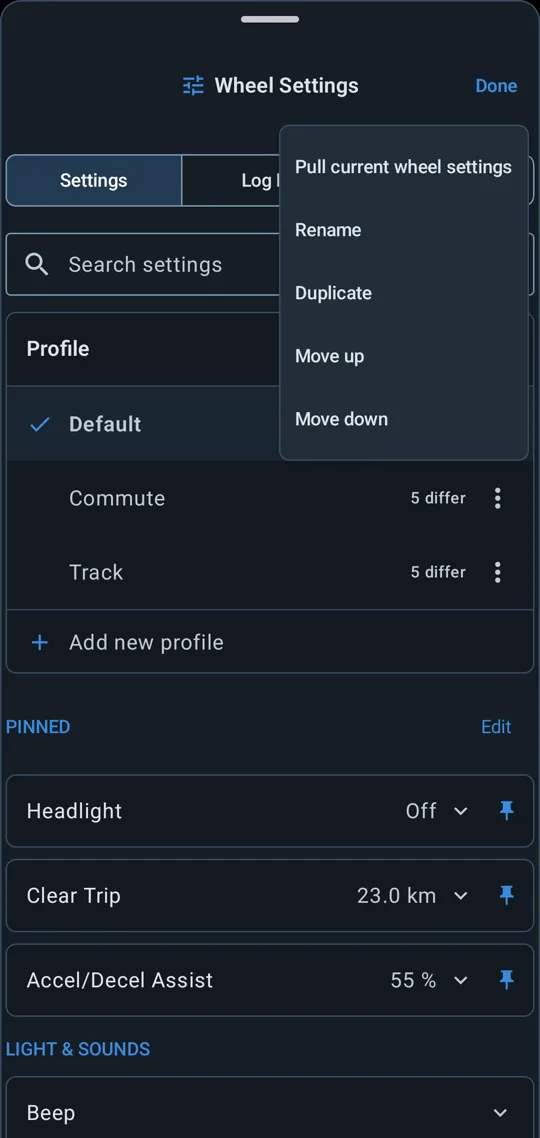
Save your wheel's settings as named profiles, kept with that wheel in the garage. Before a profile is applied, the app shows which settings differ and skips any your wheel can't take.
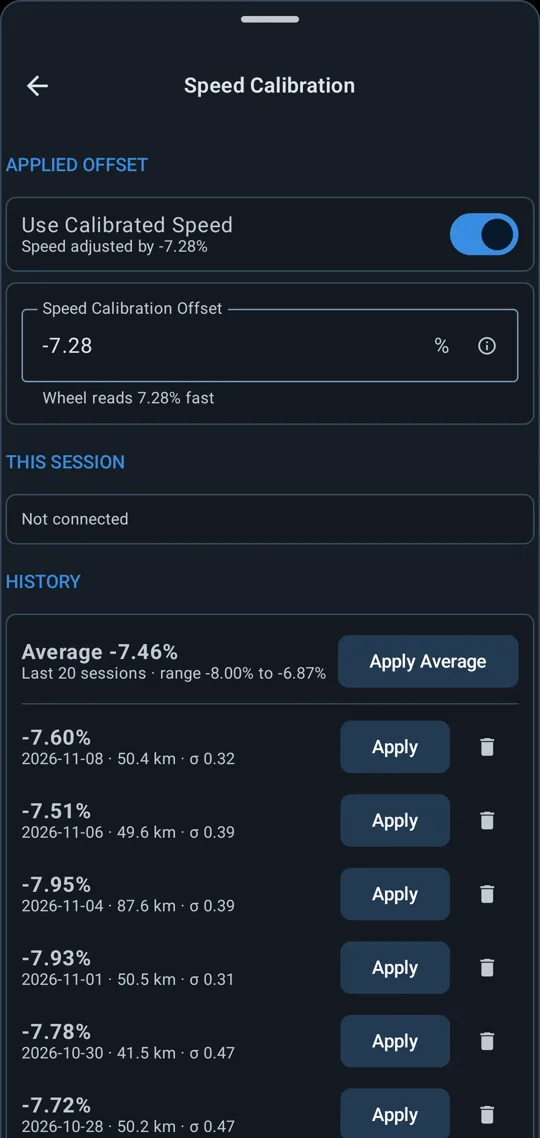
Wheels read their speed high or low. The app measures the error against GPS while you ride and keeps a history for each wheel. Apply the correction and speed and distance are corrected everywhere they show. Your recordings keep the wheel's own readings.
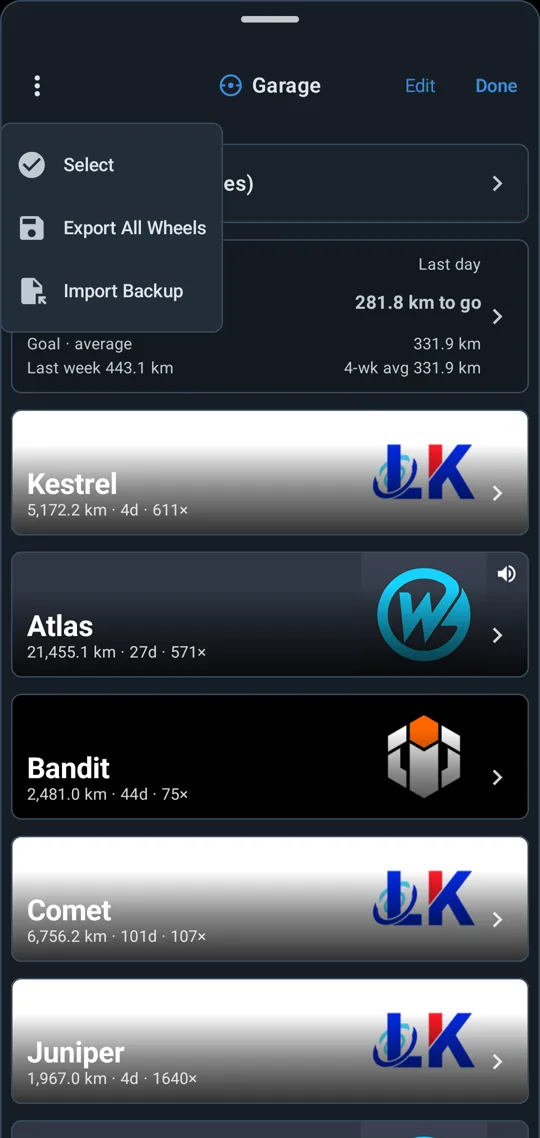
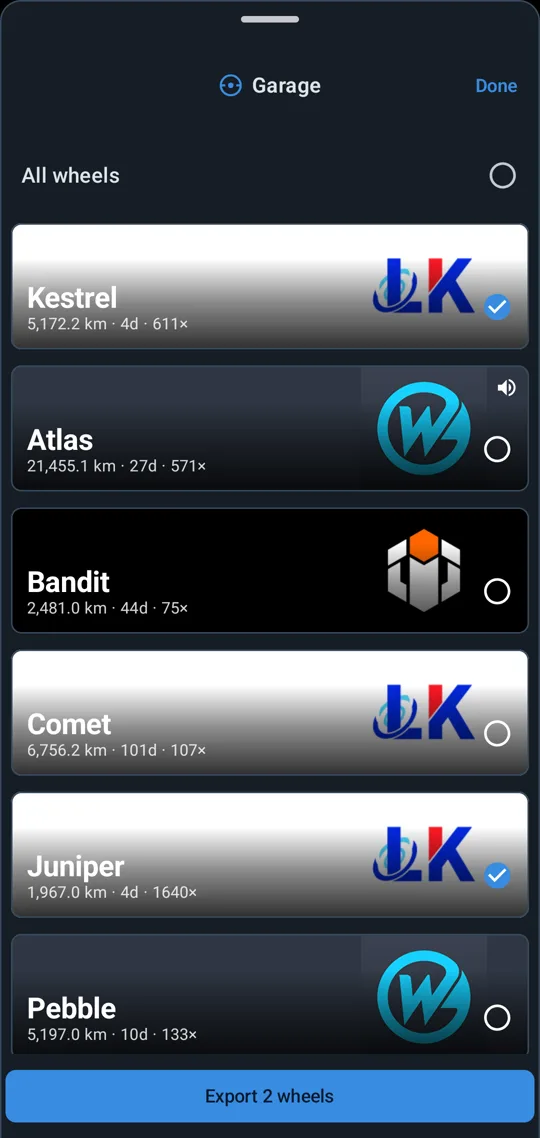
Export the whole garage, a few wheels or one wheel to a file, and import it on a new phone. Your wheels, settings profiles and kept dial layouts come with it.
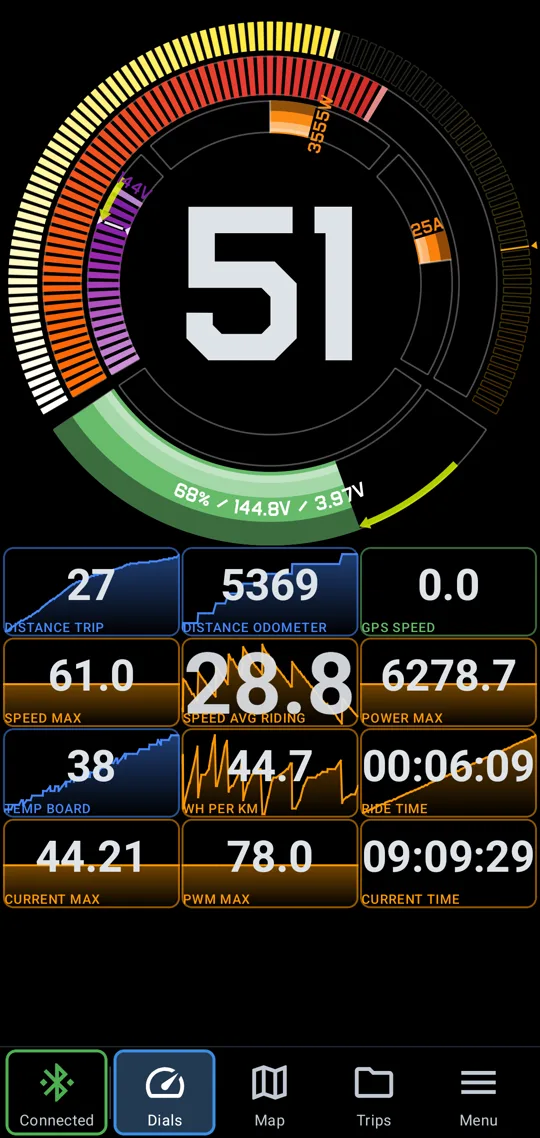
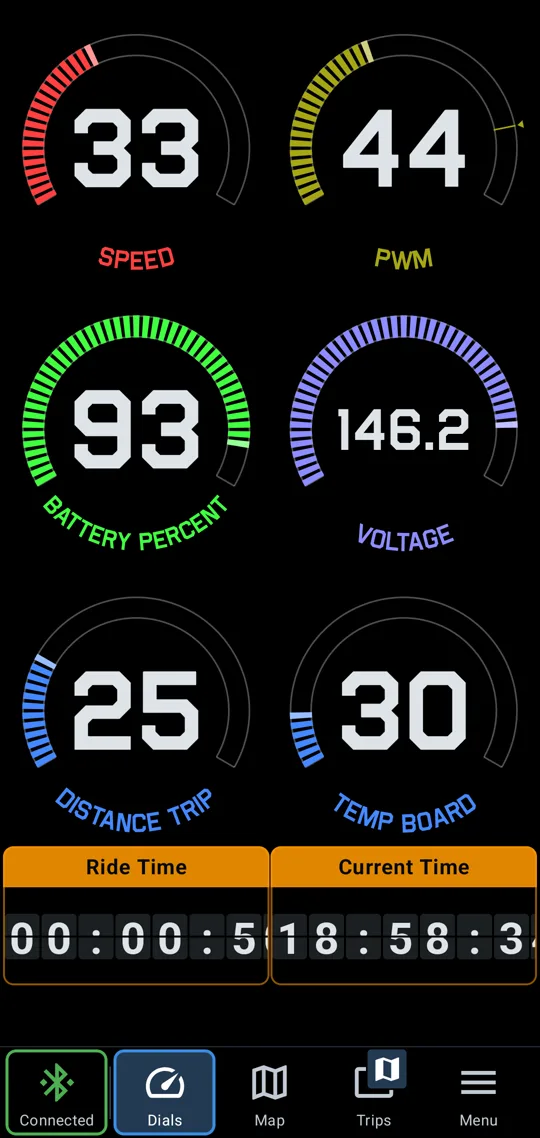
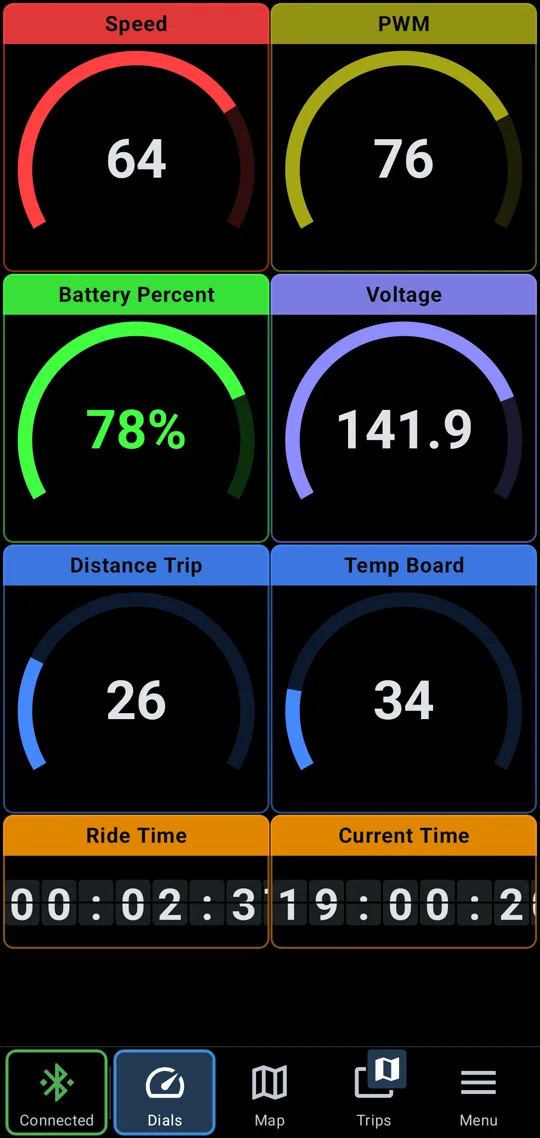
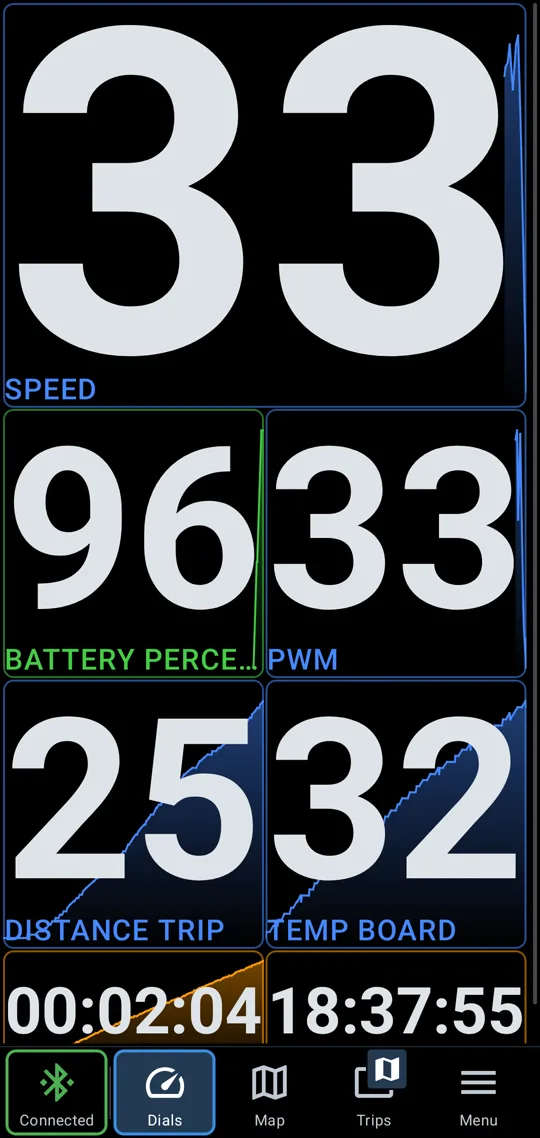
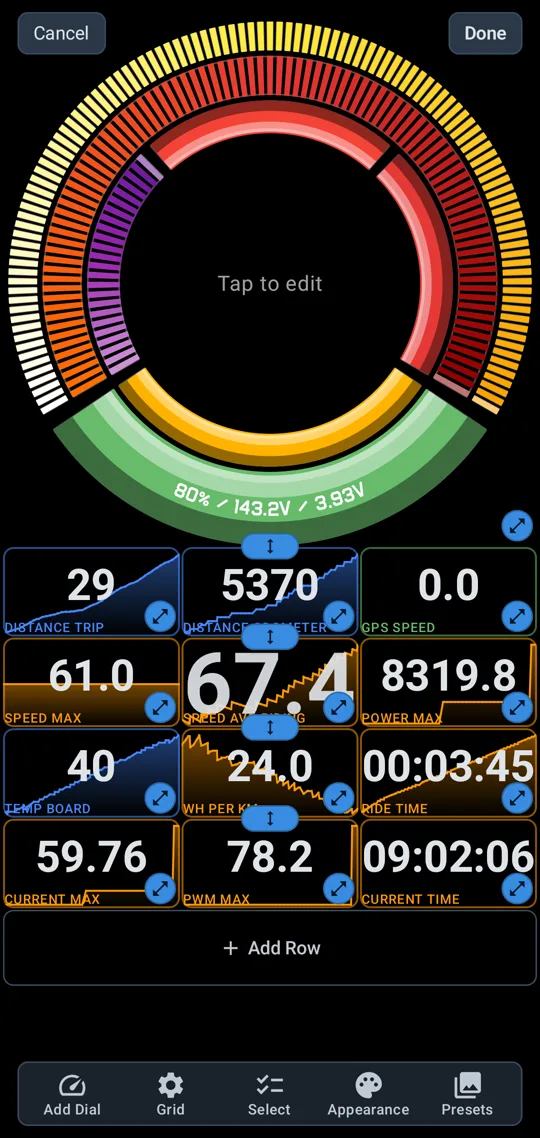
Pick the reading in every tile: speed, battery, voltage, current, power, PWM, temperatures and distance. Add as many tiles as you want, resize and rename them, and keep the dial or drop it. Each wheel can have its own layout. The app keeps recording with the screen off and reconnects on its own.
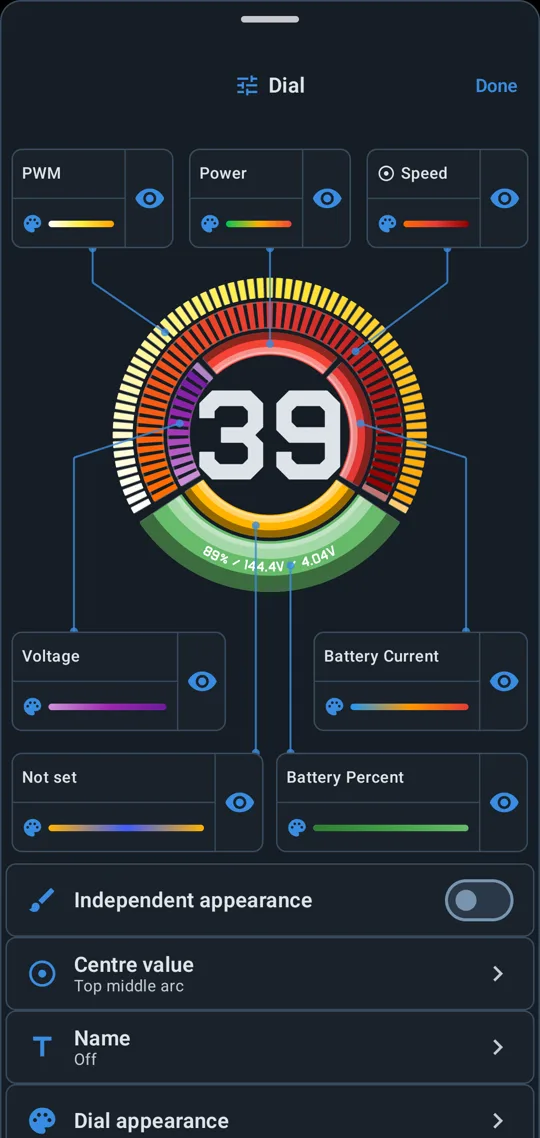
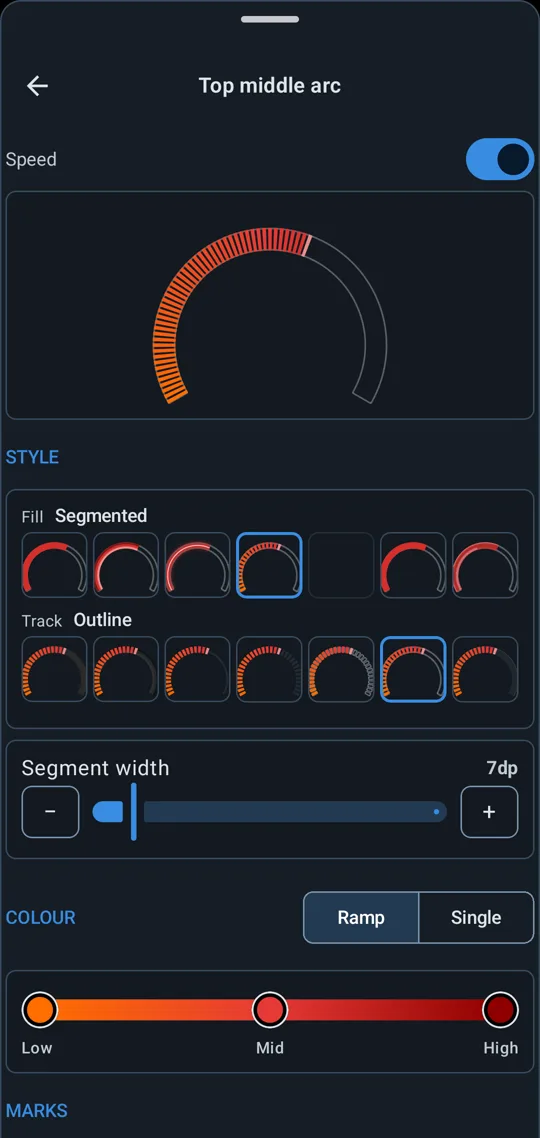
In edit mode, tap a dial to open it in its own sheet. Pick the reading on each arc, which arc the centre number shows, and each arc's colours and marks. Drag a tile's corner to resize it.
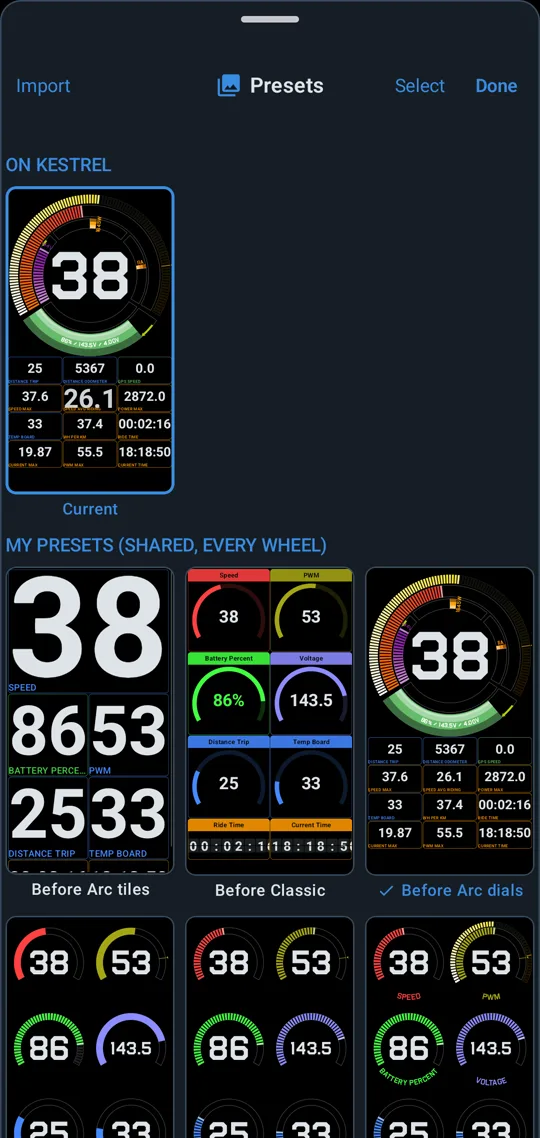
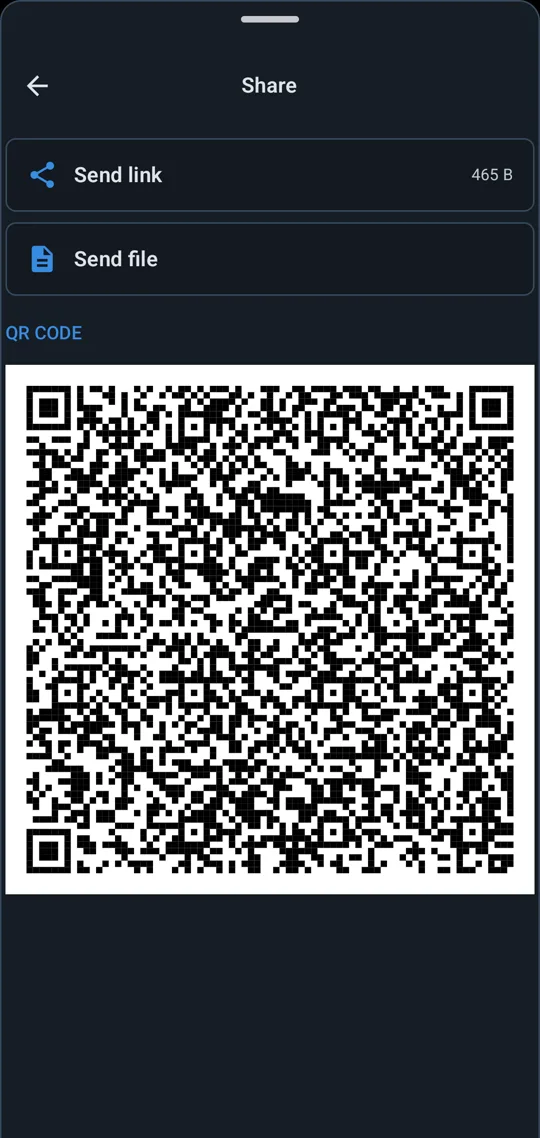
Start from a preset or a blank grid, and keep your own layouts in the gallery. Share a layout by link, QR code or file. One you receive waits in the gallery until you choose to use it, and the layout it replaces is kept.
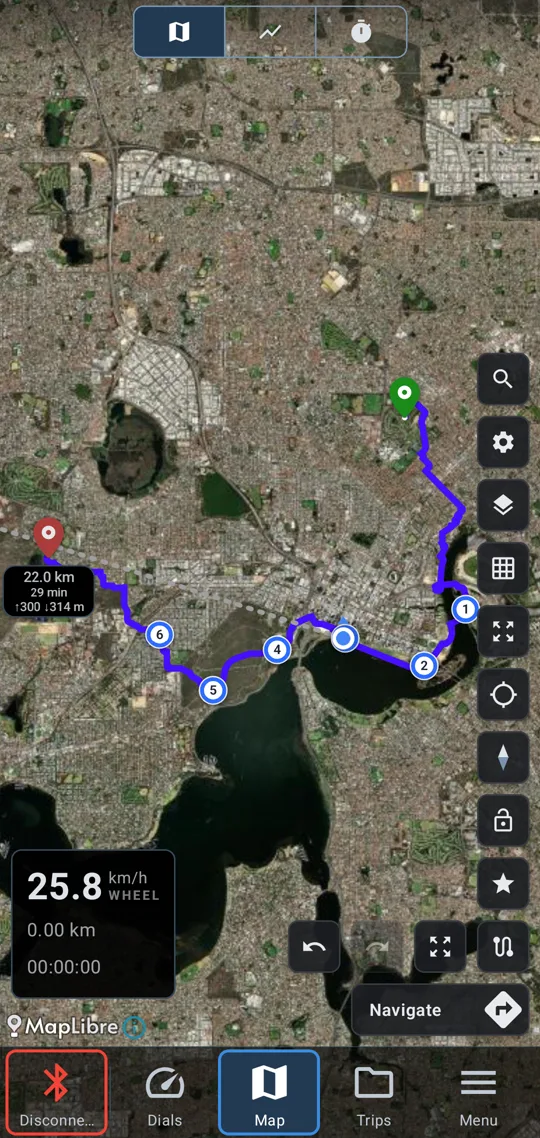
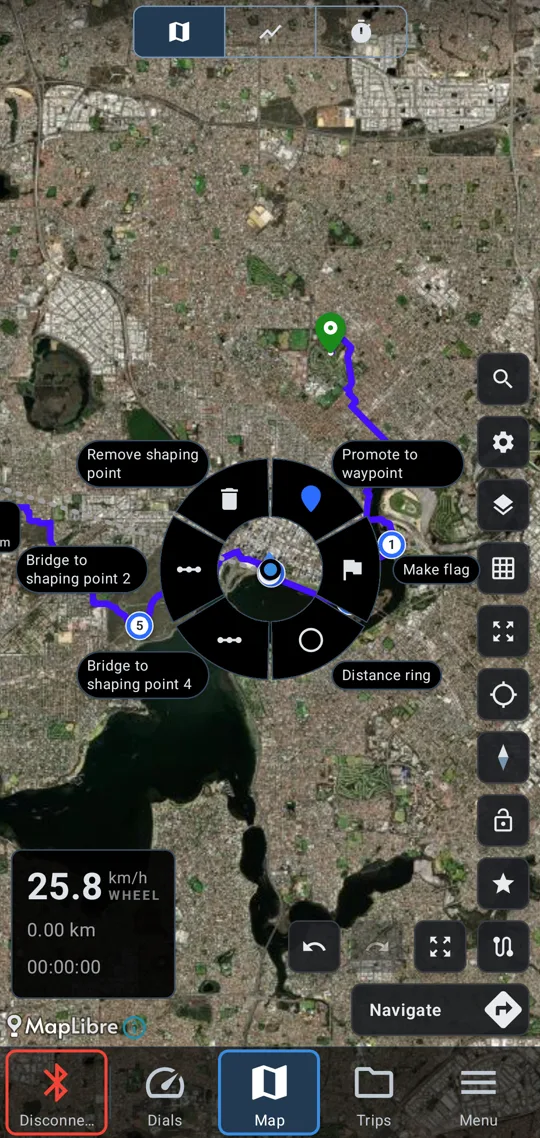
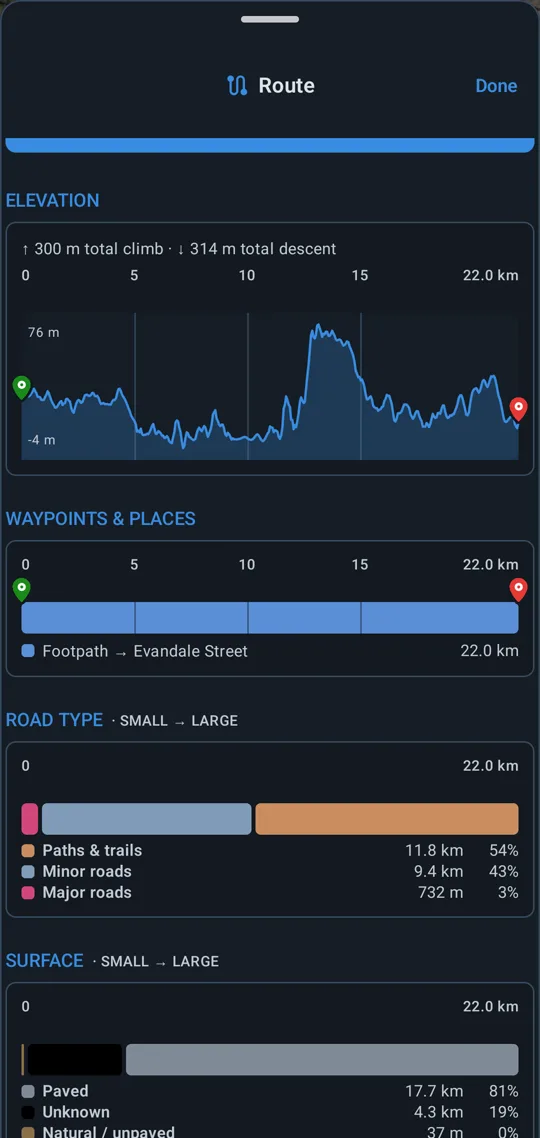
Our own router, designed for electric unicycles. Routing runs on your device, so it works offline and your waypoints stay private. Build a route waypoint by waypoint, in the app or in your browser at map.eucraw.com.
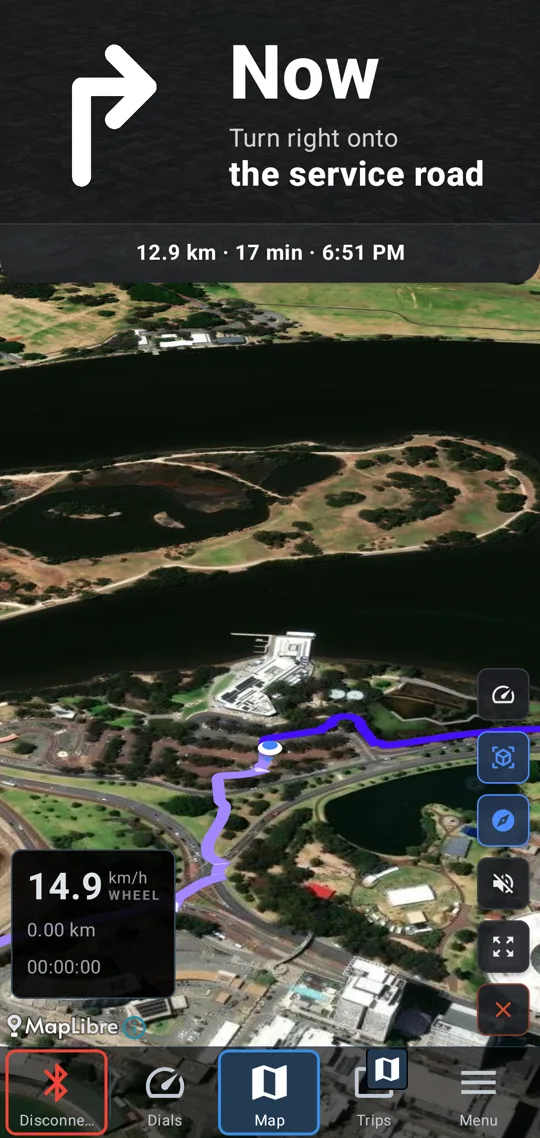
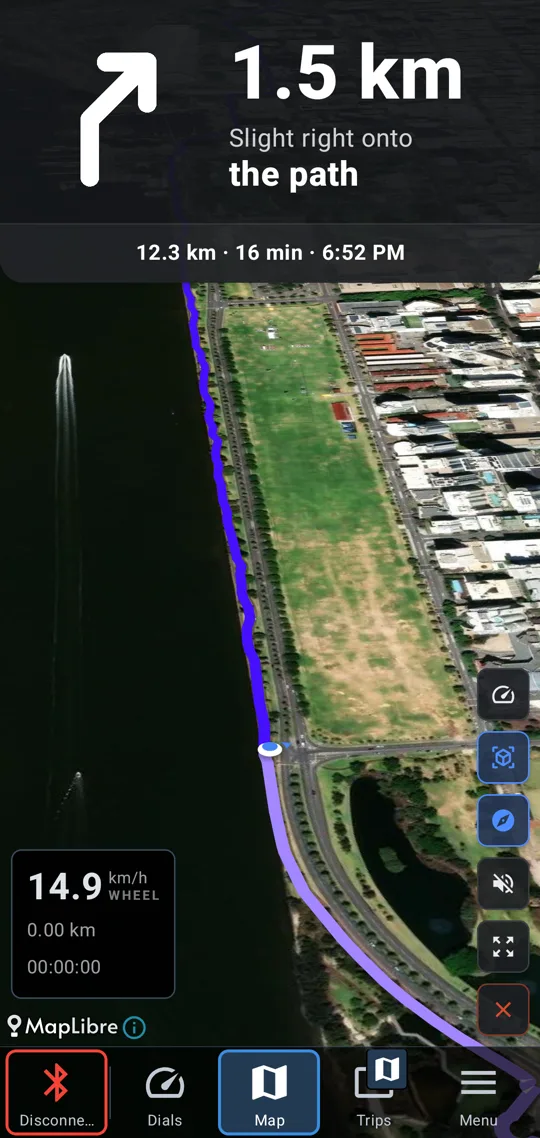
Follow a planned route and hear each turn as it comes. Only real junctions are spoken, so a bend in the road stays quiet. On Android.
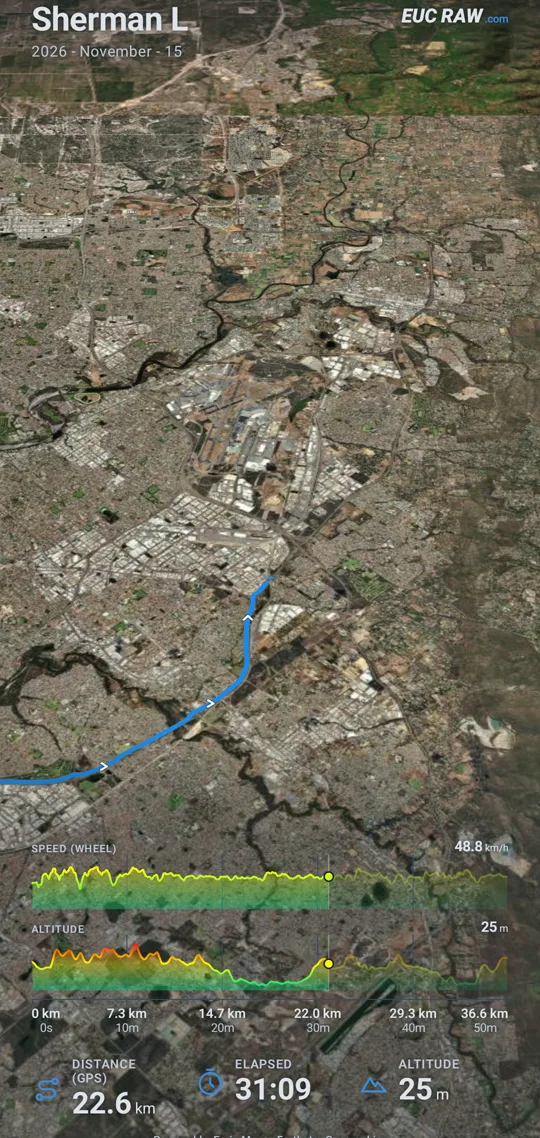
Play a recorded ride back as a flyover. A camera follows the route while distance, time and altitude run over the top, with photo stops along the way. Export it as a video.
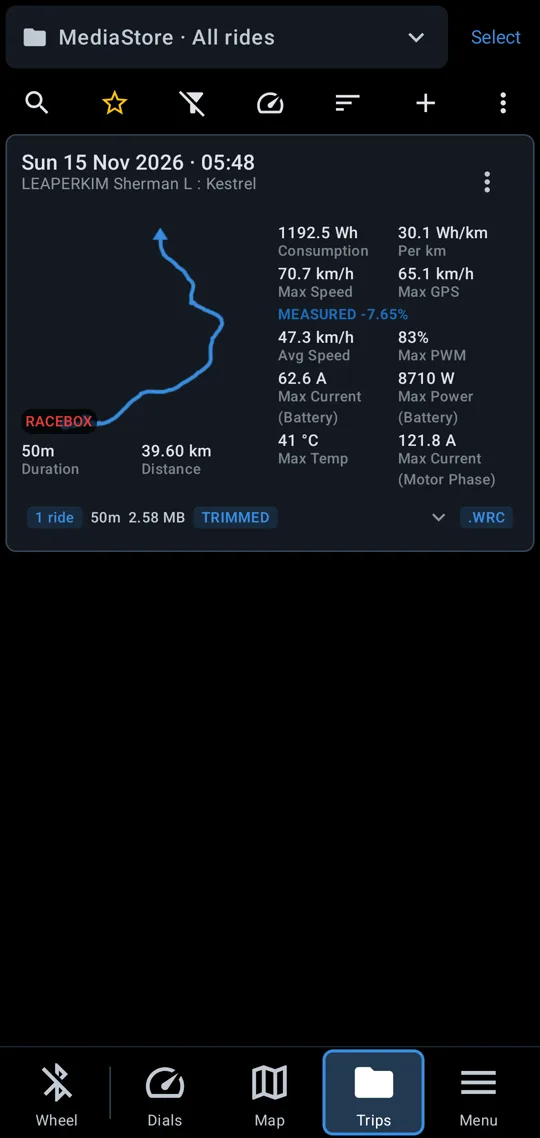
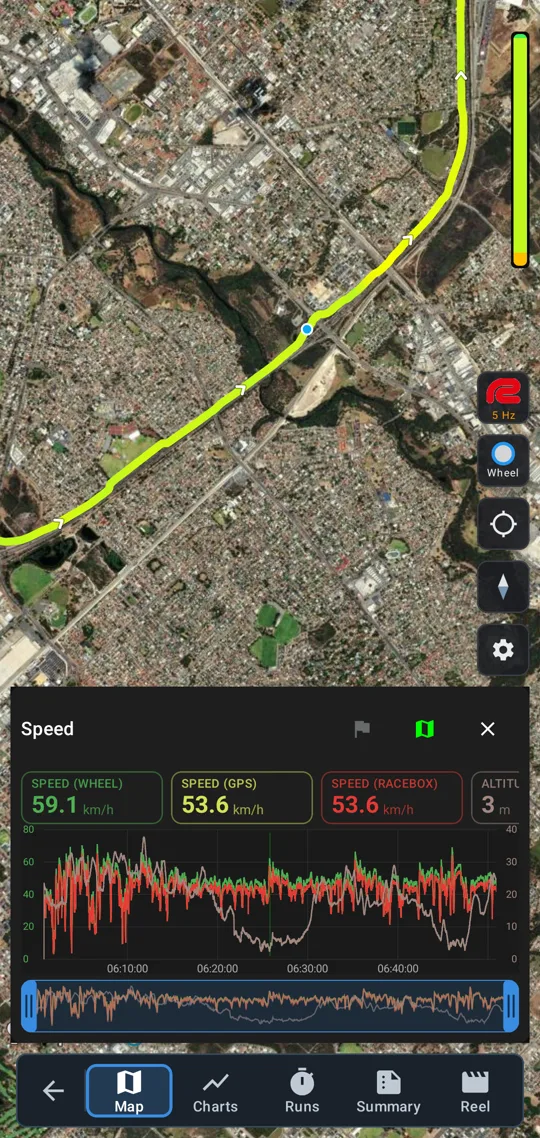
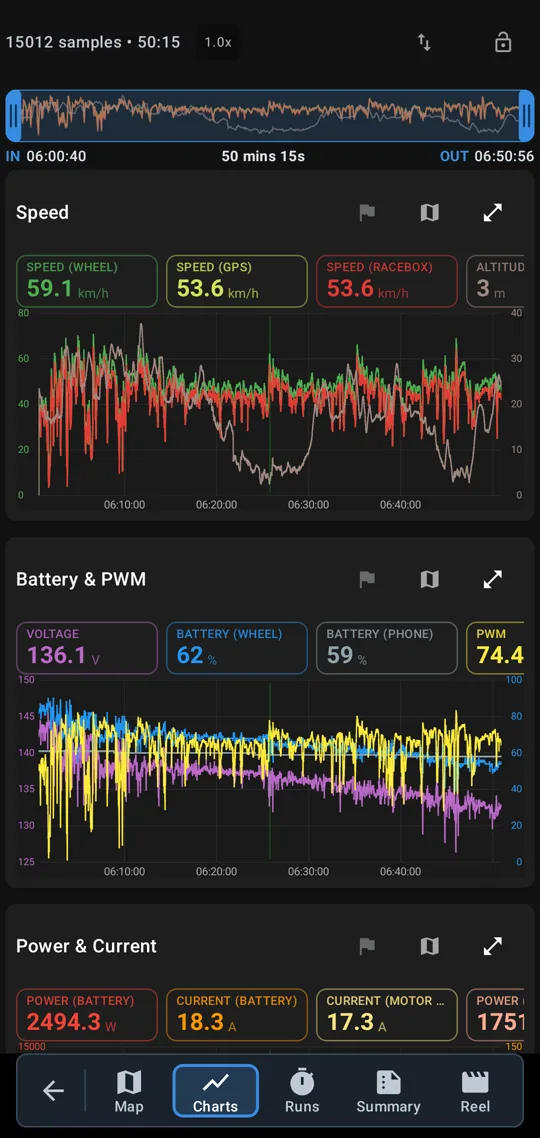
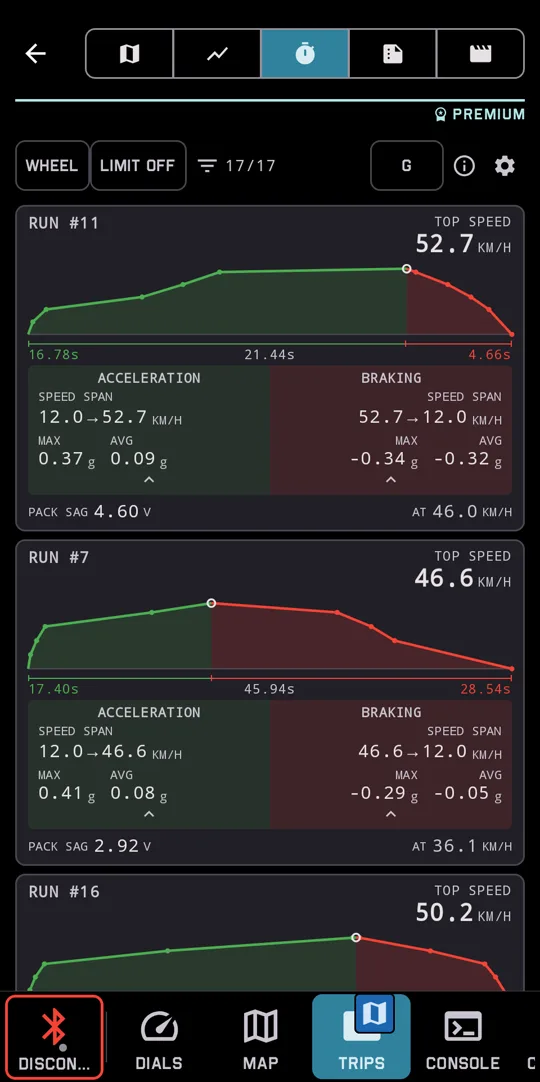
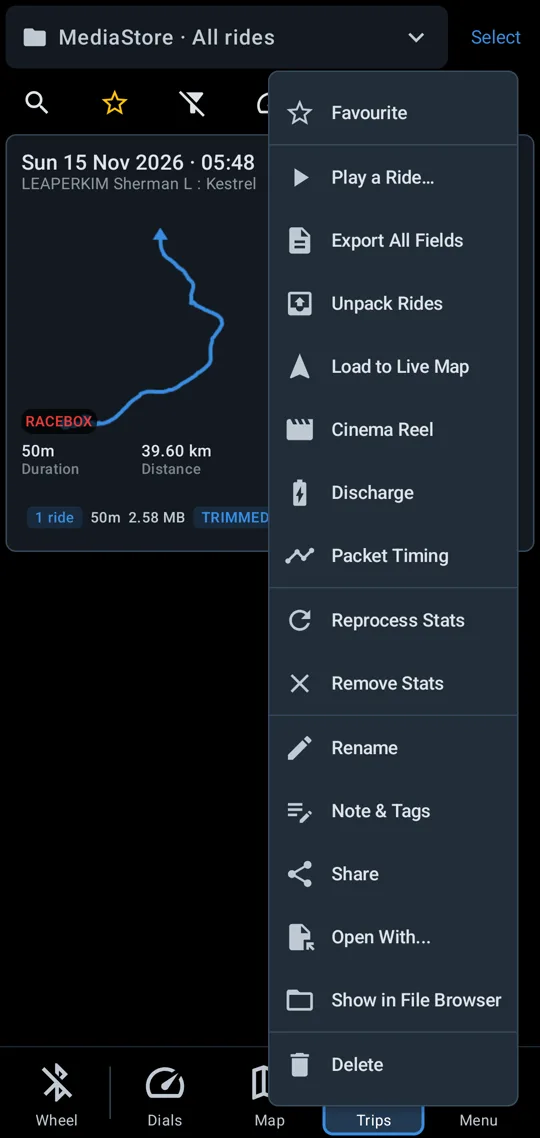
The app logs every ride with GPS, screen on or off. The trip list shows distance, duration, speed, power and consumption for each ride, in a folder per wheel. Replay a ride on a map with a coloured route and charts that scrub with it. Ride analysis shows how long you spent in each speed, temperature or PWM band, and the app times your standing-start launches. Share a ride as a file, or open it in another app, from its menu.
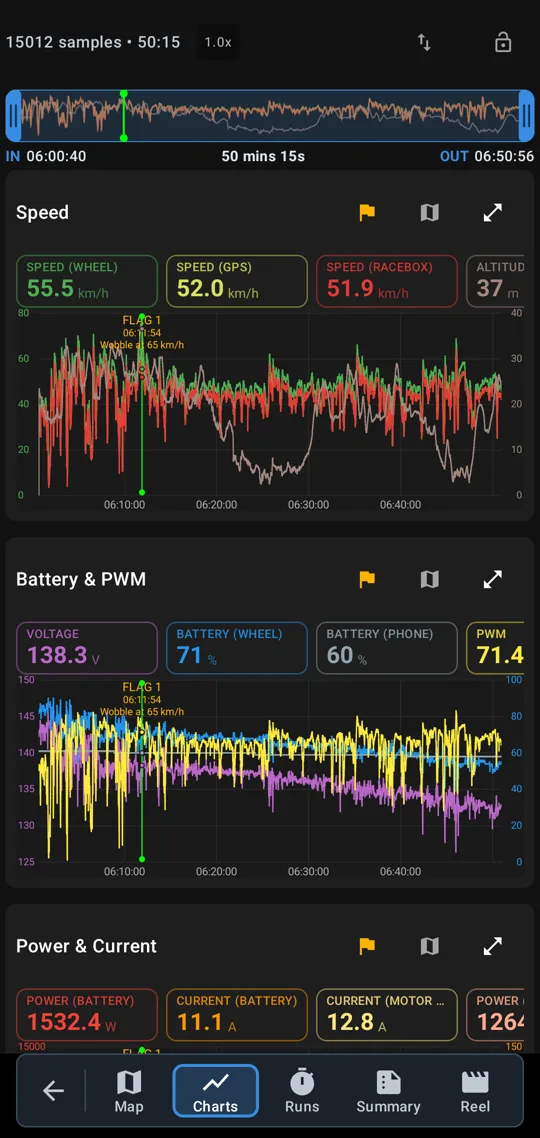
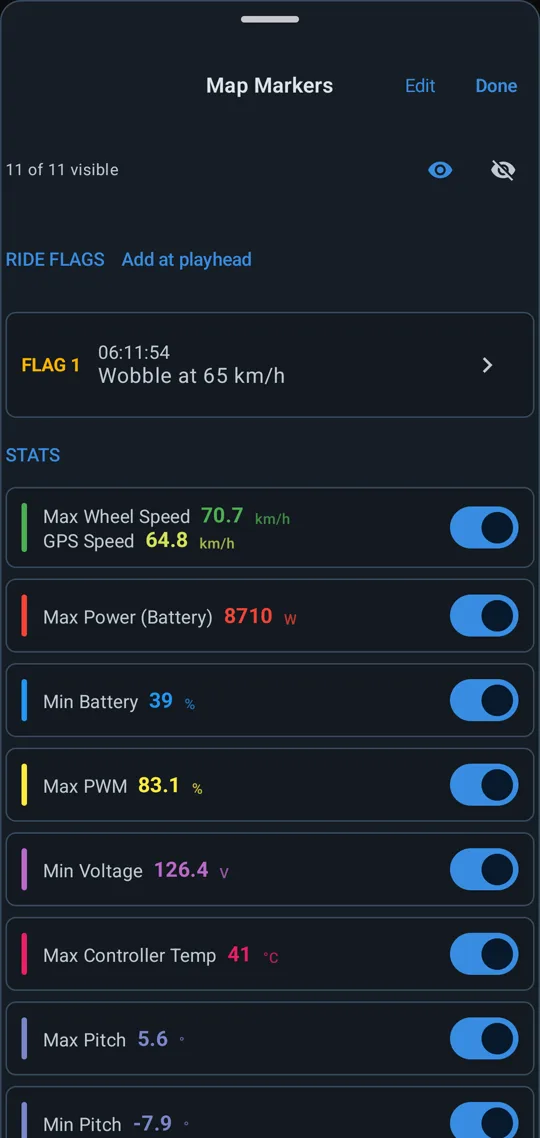
Tap Flag while riding to mark the moment something felt odd, and add a note if you like. The flag is saved in the ride, so you can find that moment again on the charts and the map. The button can sit on the connect screen, a dial tile or the watch.
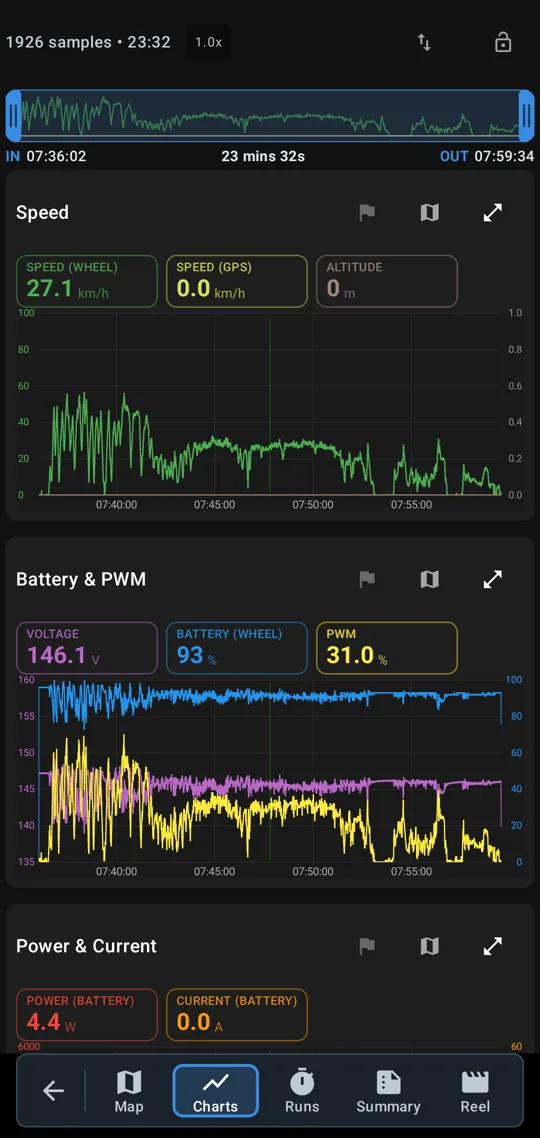
Open the ride logs you recorded with your favourite EUC apps. They replay on the map with the same charts as your own rides.
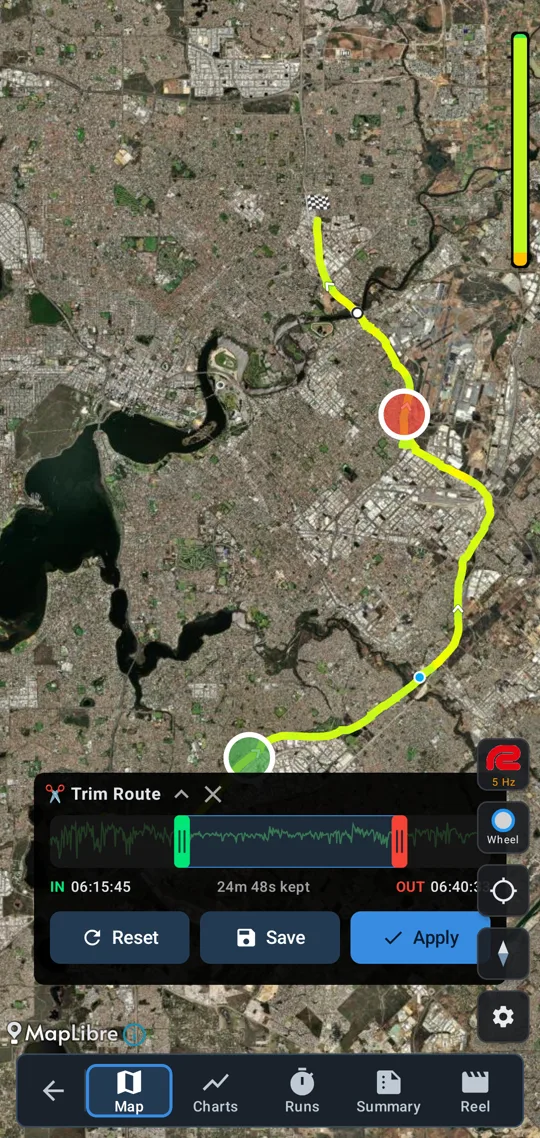
Cut a ride down to the part you want and save it as a ride of its own, beside the original.
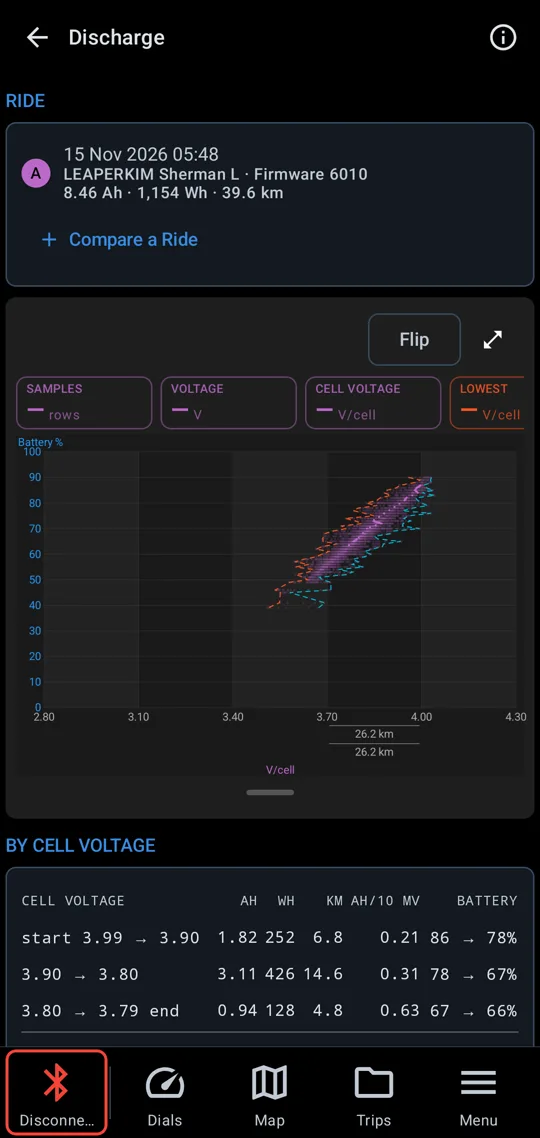
See how your pack discharged over a ride: cell voltage against battery percent, and how much charge and distance each voltage step took. Lay a second ride over the first to compare.
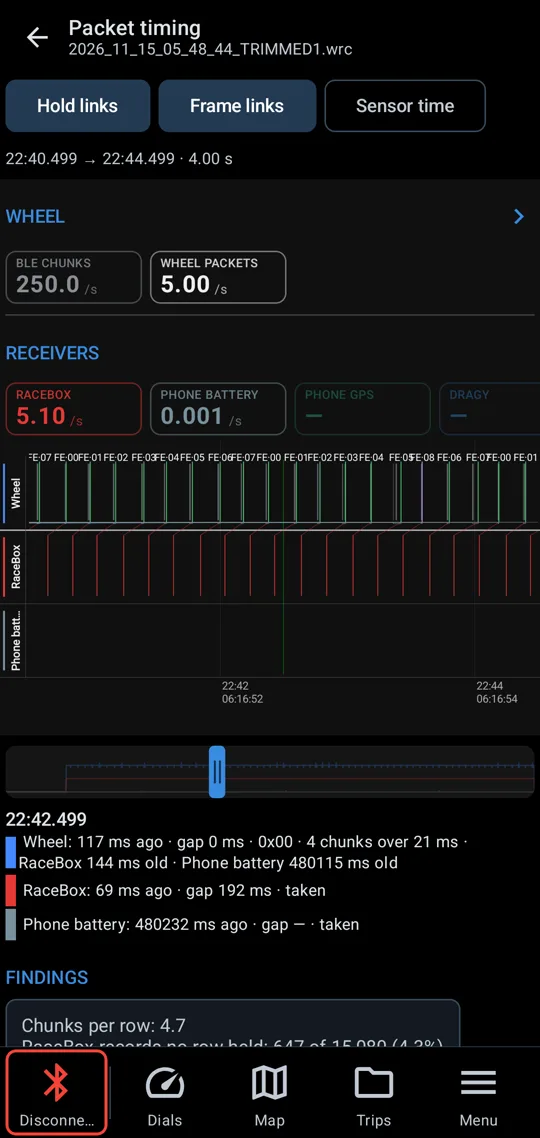
Every record in a ride on one time axis: wheel packets, GPS fixes and phone readings, with their rates and the gaps between them.
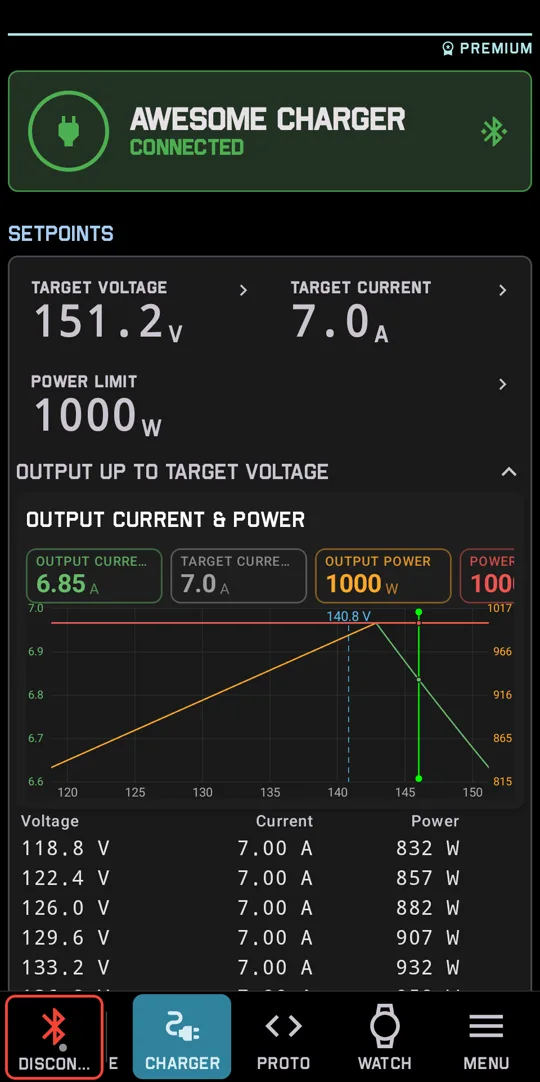
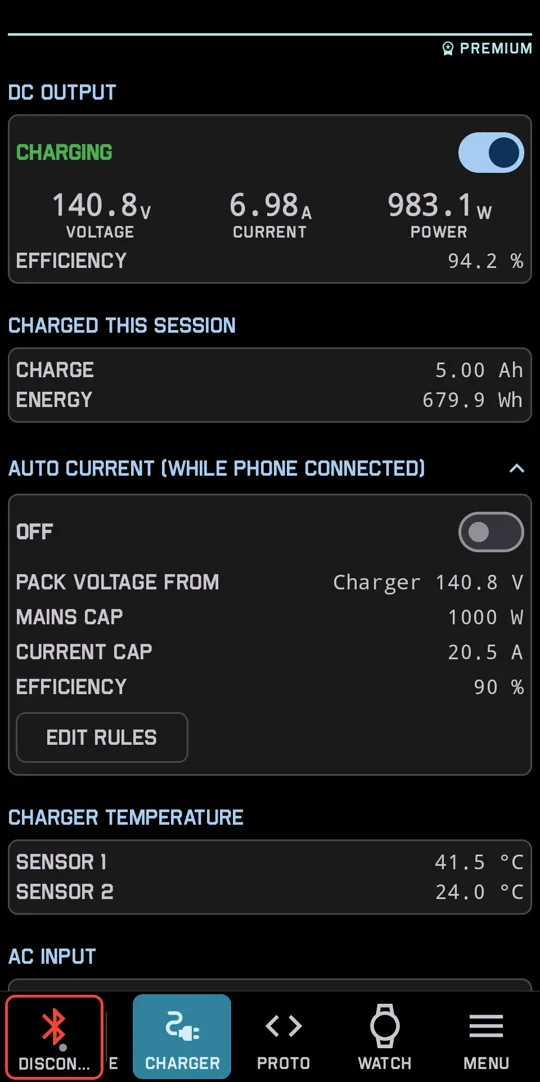
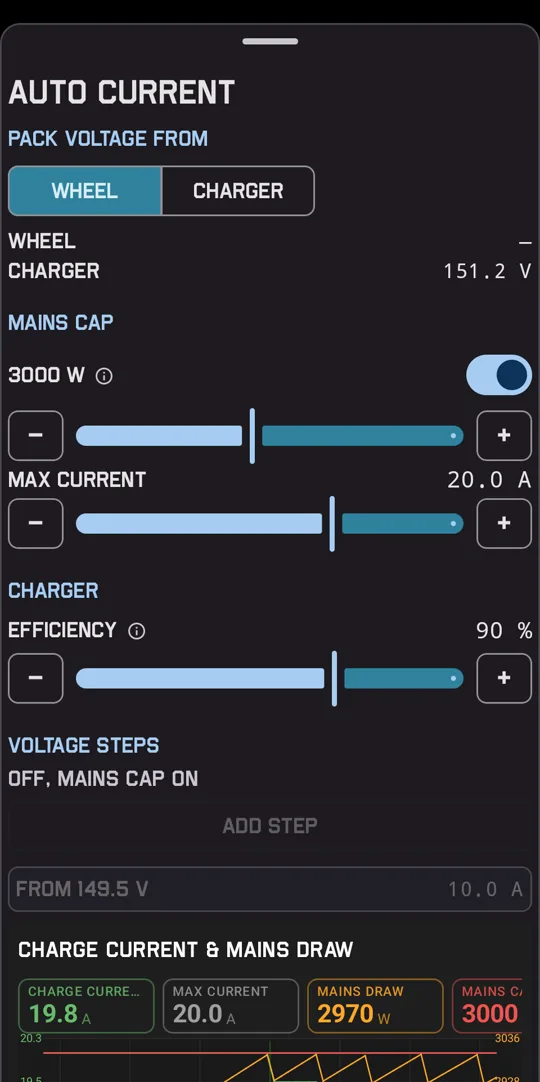
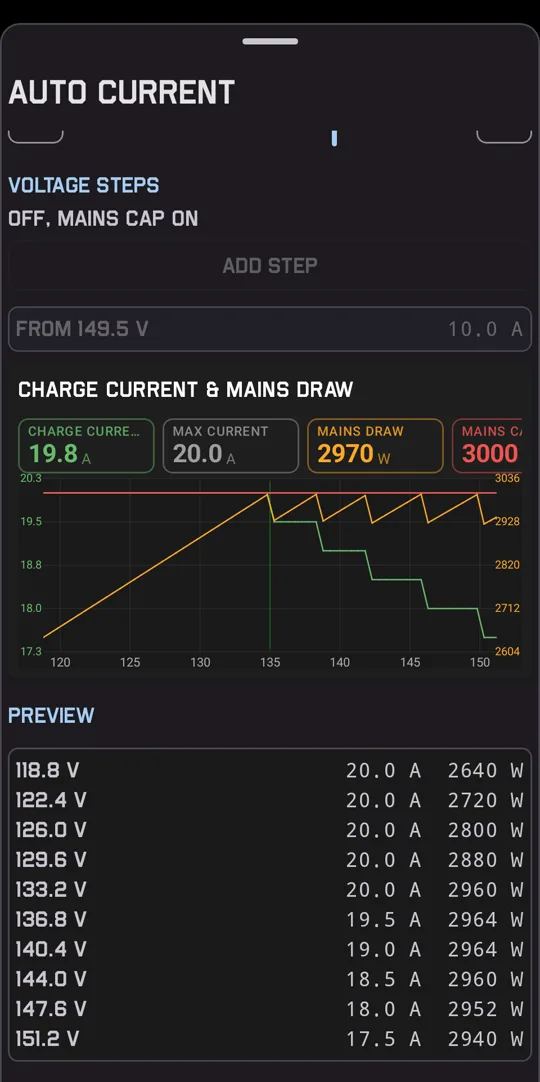
Connect a supported Bluetooth charger to watch a charge live. Set the voltage and current, and switch the output on or off. Auto current sets the charge current from the pack voltage while the phone is connected. Cap the mains draw in watts, or step the current down as the pack fills.
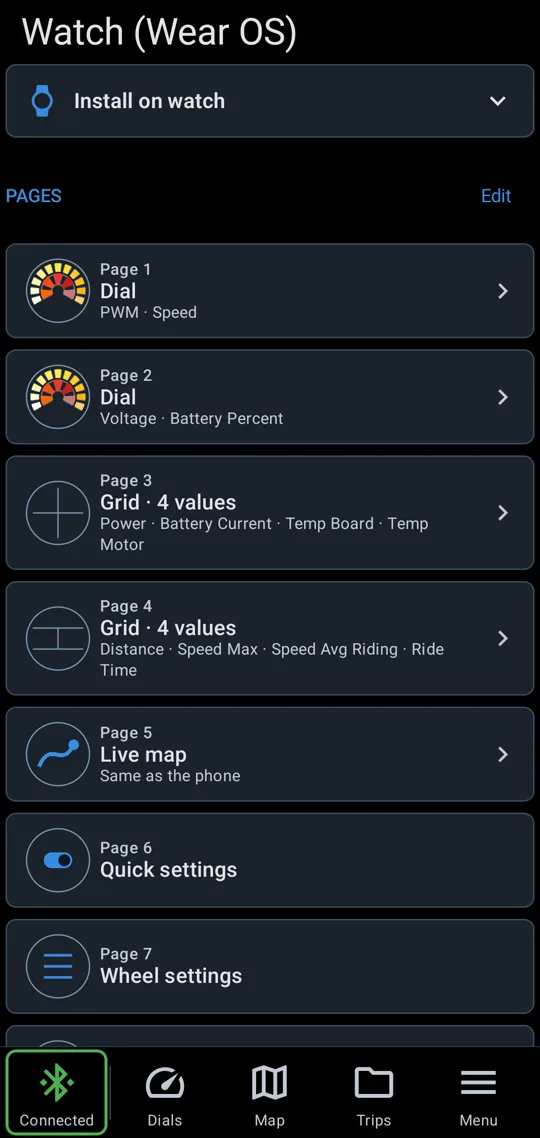
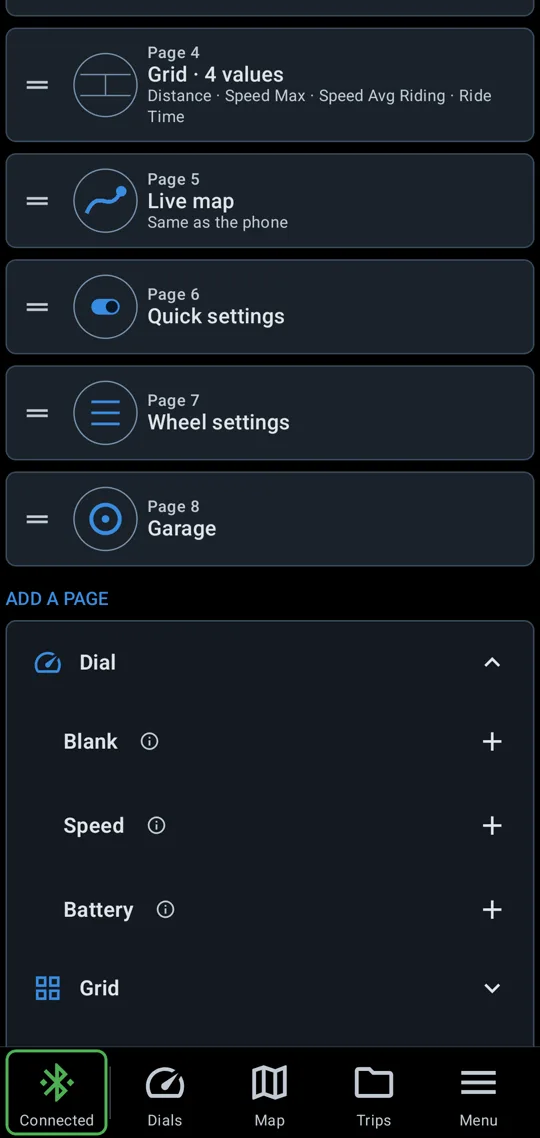
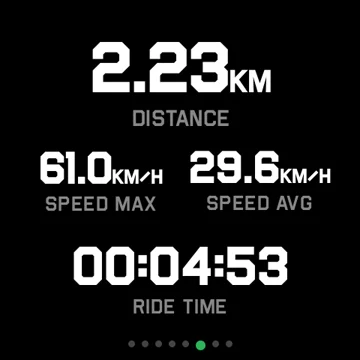
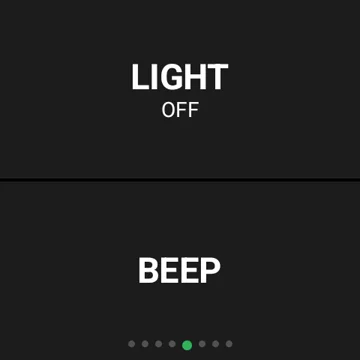
A Wear OS watch or an Apple Watch shows the ride on your wrist. Build the pages on the phone: buttons for the light and the beep, dials, grids of up to four readings, a live map and quick settings. Change a wheel setting from the watch without reaching for the phone.

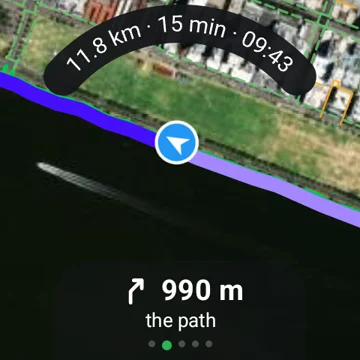
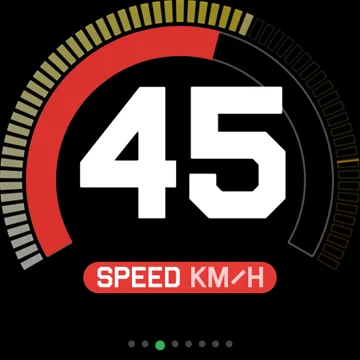
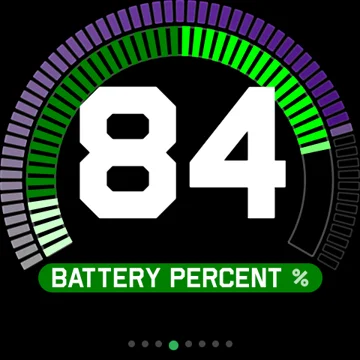
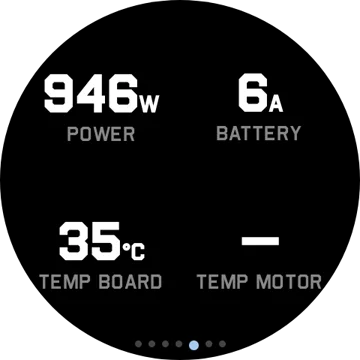
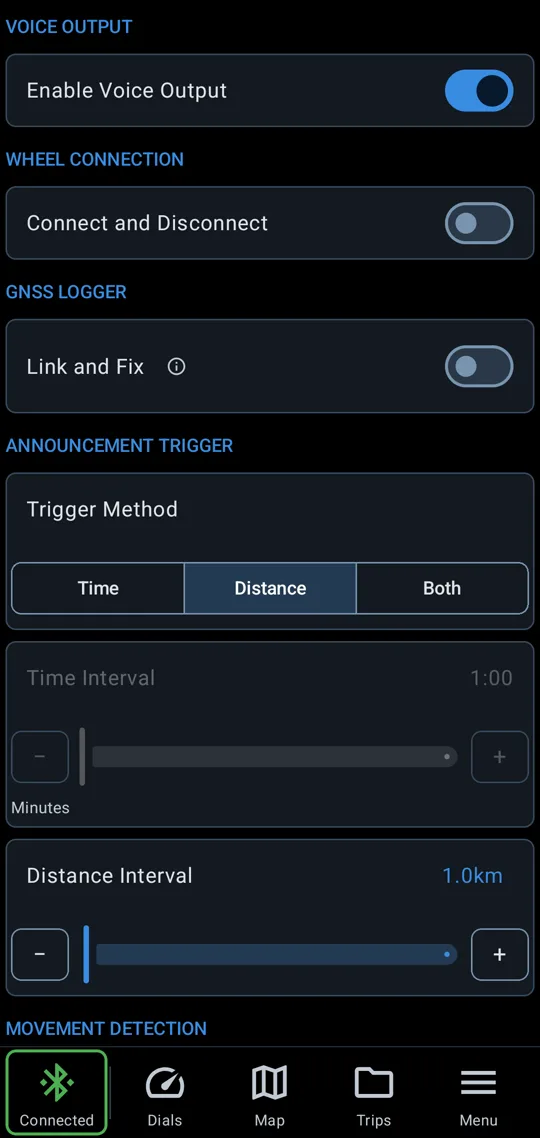
Spoken readouts let you keep your eyes up. Trigger them by time, by distance or both, and set the speech rate. They can stay quiet while you stand still.
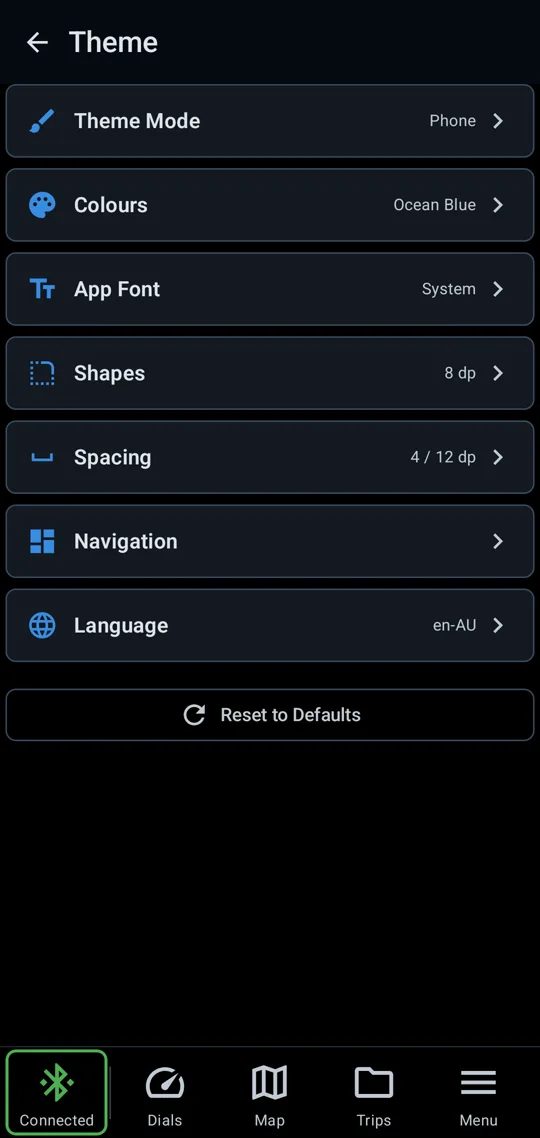
Change the theme mode, colours, font, corner shapes, spacing and navigation bar.
| Feature | Android | iPhone |
|---|---|---|
| Connect | ||
| Auto connect and reconnect | ✓ | ✓ |
| Begode, KingSong, Leaperkim, InMotion and Nosfet | ✓ | ✓ |
| Wheel settings | ✓ | ✓ |
| Settings profiles | ✓ | ✓ |
| Wheel alerts | ✓ | ✓ |
| Battery cells | ✓ | ✓ |
| Tyre pressure | ✓ | ✓ |
| RaceBox and Dragy | ✓ | ✓ |
| Live charts | ✓ | ✓ |
| Charge progress with a time to full | ✓ | ✓ |
| Live ride on the lock screen | ✓ | ✓ |
| Garage | ||
| Garage of wheels | ✓ | ✓ |
| Riding stats and weekly goal | ✓ | ✓ |
| Service log | ✓ | ✓ |
| Speed calibration | ✓ | ✓ |
| Battery calculator | ✓ | ✓ |
| Garage backup | ✓ | ✓ |
| Dials | ||
| Custom dashboard | ✓ | ✓ |
| Dial editor | ✓ | ✓ |
| A layout per wheel | ✓ | ✓ |
| Share layouts by link, QR code or file | ✓ | ✓ |
| Light, horn and beep buttons | ✓ | ✓ |
| Map | ||
| Live map with your trail | ✓ | ✓ |
| Route planner | ✓ | |
| Turn by turn voice | ✓ | |
| Road reach | ✓ | |
| Cinema reel | ✓ | ✓ |
| Trips | ||
| Ride recording with GPS | ✓ | ✓ |
| Replay with charts | ✓ | ✓ |
| Route stats by speed, PWM and temperature | ✓ | ✓ |
| Acceleration runs | ✓ | ✓ |
| Ride flags | ✓ | ✓ |
| Ride logs from other EUC apps | ✓ | |
| Trim a ride | ✓ | ✓ |
| Discharge | ✓ | ✓ |
| Packet timing | ✓ | ✓ |
| Join rides | ✓ | ✓ |
| Share a ride as one file | ✓ | ✓ |
| Charger | ||
| Charger control | ✓ | ✓ |
| Auto current | ✓ | ✓ |
| Watch | ||
| Wear OS and Apple Watch app | ✓ | ✓ |
| Custom watch pages, set up on the phone | ✓ | ✓ |
| Dials and reading grids | ✓ | ✓ |
| Live map with your trail | ✓ | ✓ |
| Planned route on the watch map | ✓ | |
| Change wheel settings | ✓ | ✓ |
| Switch wheels from the watch | ✓ | ✓ |
| Light and beep buttons | ✓ | ✓ |
| Menu | ||
| Spoken readouts | ✓ | Basic |
| Themes | ✓ | Basic |
| Languages | ✓ | Partly |
Donating changes nothing in the app. Every feature works the same whether you donate or not.
No login, no data analytics, no tracking, no ads. Your rides, routes and wheels stay on your phone. The app fetches map imagery while a map is open and nothing else. Read the full privacy policy.